Matlamat / Goal
Guna ejen Plan (baca sahaja) untuk menganalisis lima insiden ShopFast, lihat fasa kecacatan disuntik, kemudian biar ejen Build menyimpan glosari QA dwibahasa.
Use the read-only Plan agent to analyse five ShopFast incidents, see where each defect was injected, then let the Build agent save a bilingual QA glossary.
Peraturan data: guna data sintetik ShopFast sahaja. Model percuma dihoskan di luar negara. Output AI ialah draf yang mesti disemak manusia.
Langkah demi langkah dengan tangkapan skrin sebenar
Mulakan opencode dalam mod Plan dengan prompt analisis insiden.
Start opencode in Plan mode with the incident analysis prompt.
opencode -m opencode/big-pickle --agent plan

Baca @shopfast/docs/incidents.md. Bagi setiap insiden berikan: punca akar, fasa SDLC kecacatan disuntik, fasa ia ditemui, dan aktiviti SQA yang boleh menangkapnya lebih awal. Rujuk KRISAv2 Bab 1 1.6.4 menggunakan jadual rujukan dalam AGENTS.md. Jadual maksimum 6 lajur.
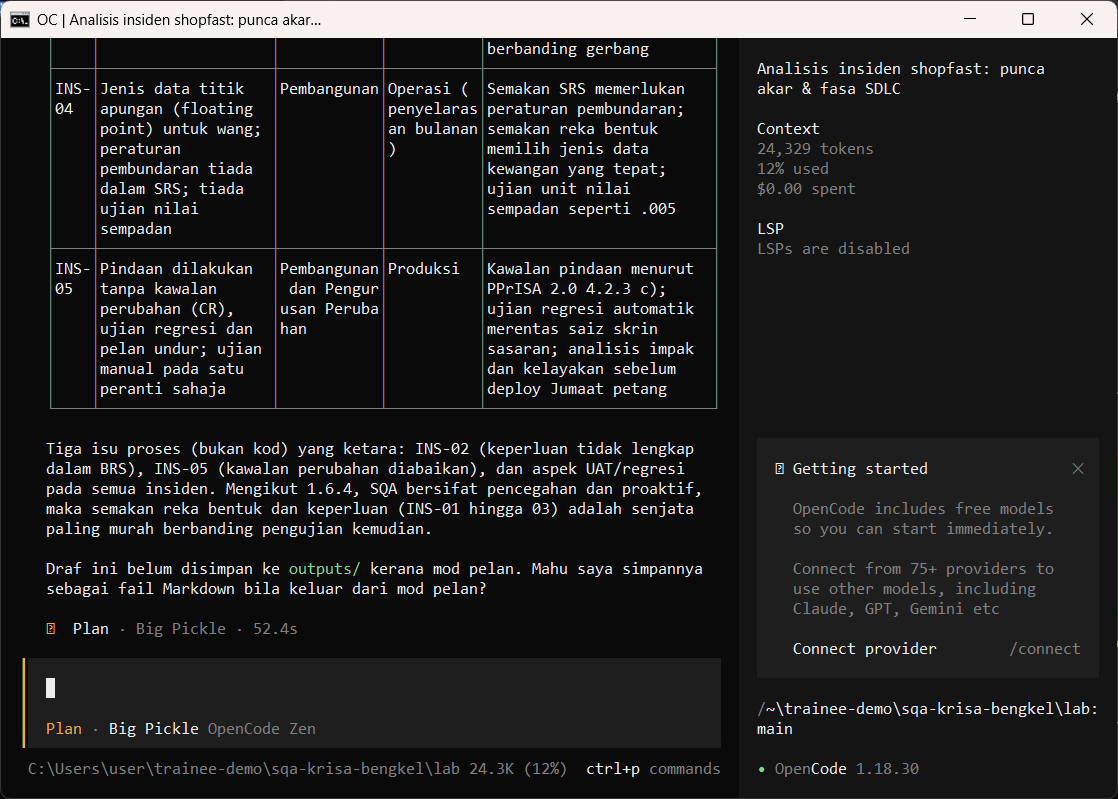
Dalam sesi yang sama, minta jadual Cost of Poor Quality.
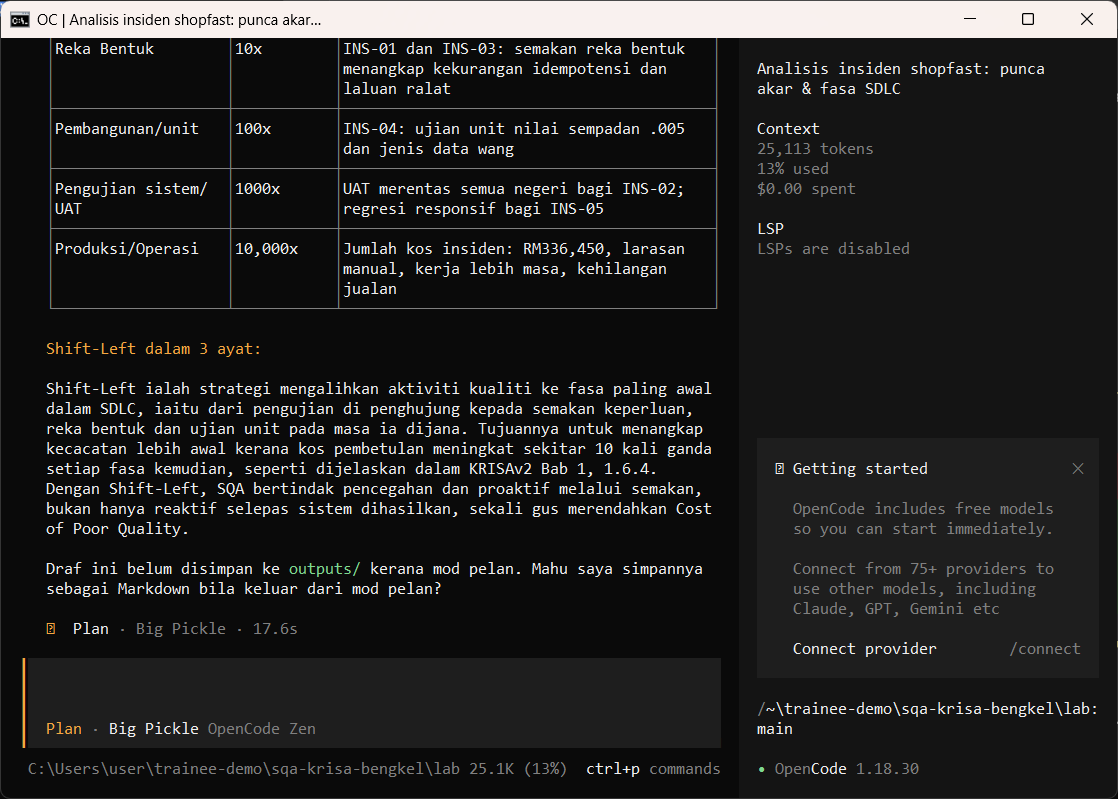
In the same session, ask for the Cost of Poor Quality table.
Bina jadual Cost of Poor Quality (fasa, kos relatif, contoh ShopFast) dan terangkan Shift-Left dalam 3 ayat.
Tekan Tab untuk tukar ke Build dan minta fail glosari. opencode meminta kebenaran sebelum menulis: semak pratonton, kemudian pilih Allow once.
Press Tab to switch to Build and ask for the glossary file. opencode asks permission before writing: check the preview, then choose Allow once.
Tulis fail outputs/m01-glosari-qa.md: 12 istilah (QA, QC, Verifikasi, Validasi, Ujian Statik, Shift-Left, Shift-Right, Quality Gate, Kecacatan, Kegagalan, IV&V, DevOps) dalam satu jadual dengan takrif Bahasa Melayu dan Inggeris.
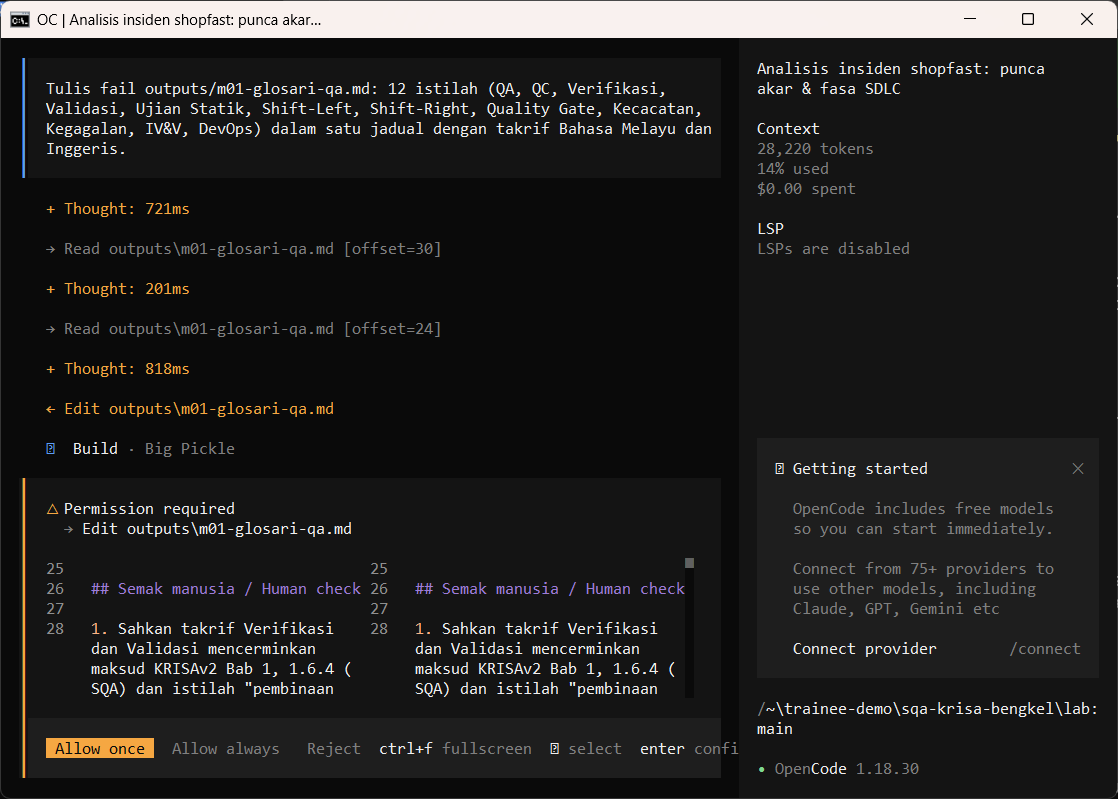
Luluskan sebarang suntingan susulan. Fail disimpan dalam outputs/.
Approve any follow-up edit. The file is saved in outputs/.
Allow once (Enter)
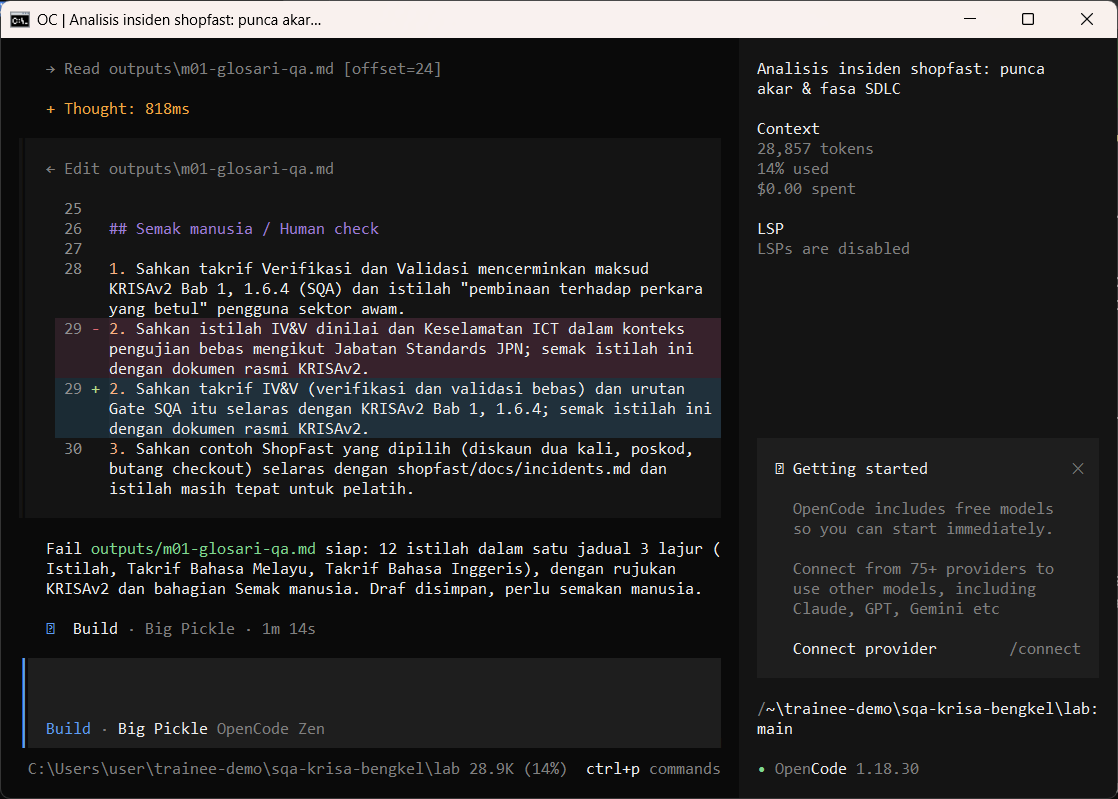
Buka hasil dalam PowerShell (atau VS Code) dan buat semakan manusia.
Open the result in PowerShell (or VS Code) and do the human check.
Get-Content outputs\m01-glosari-qa.md -TotalCount 30
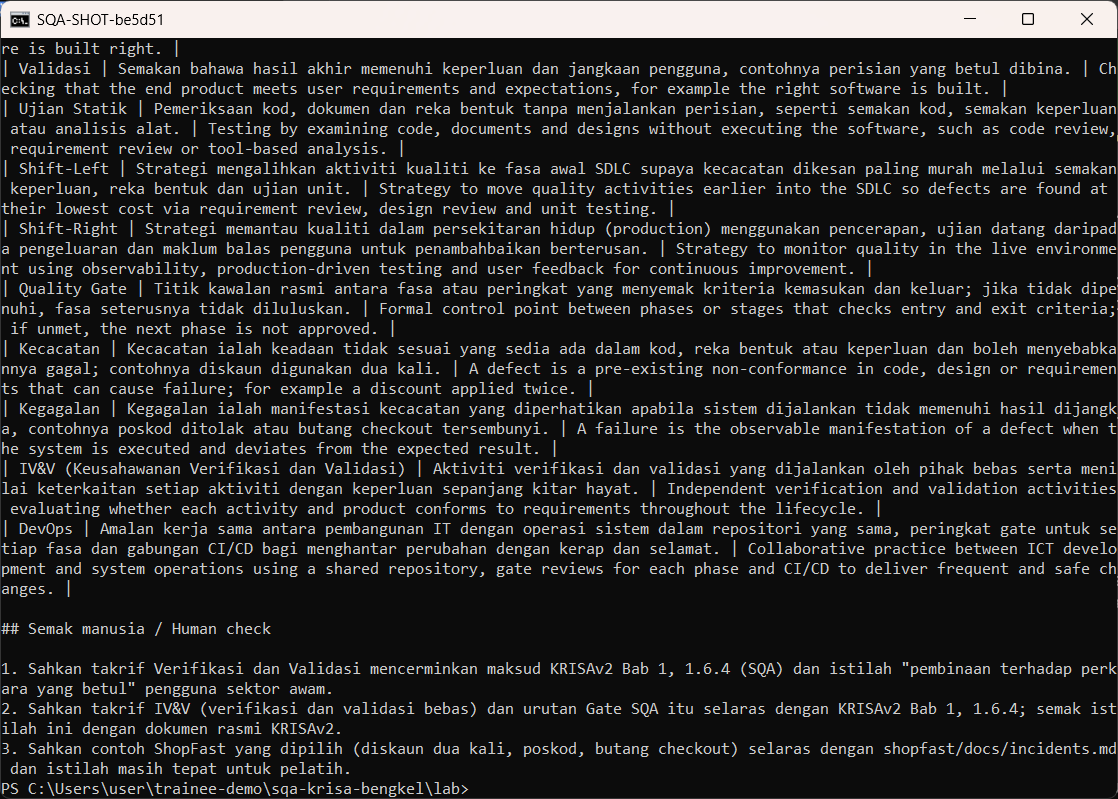
Semakan manusia / Human check
- Setiap insiden dipetakan ke fasa KRISAv2 yang sebenar (Permulaan hingga Pelaksanaan)
Every incident is mapped to a real KRISAv2 phase (Permulaan to Pelaksanaan) - QA diterangkan sebagai pencegahan dan QC sebagai pengesanan
QA is described as prevention and QC as detection - Pautan merujuk jadual halaman KRISAv2, bukan nombor halaman rekaan
Links point to the KRISAv2 page table, not invented page numbers
Contoh output sebenar
Jawapan AI berbeza setiap larian. Bandingkan struktur dan semak kandungan.
Jika ada masalah / Troubleshooting
| Masalah | Tindakan |
|---|---|
| opencode is not recognised | Close and reopen PowerShell so PATH refreshes. Still failing: powershell -ExecutionPolicy Bypass -File .\setup\install-opencode.ps1 -Portable |
| Scripts are disabled on this system | Set-ExecutionPolicy -Scope CurrentUser RemoteSigned, or run opencode.cmd instead of opencode |
| The model is slow or stops | Wait up to 2 minutes. Press Esc to interrupt, then send the prompt again. Try another free model with /models |
| Permission required dialog | Read the preview. Choose Allow once for files in outputs/. Reject anything outside the lab folder |
| File or command not found | Check the status bar path ends with \lab. Commands and @files are relative to the lab folder |
| Answer uses Indonesian words or dashes | Reply: Ikut AGENTS.md peraturan 1 dan 14, tulis semula dalam Bahasa Melayu Malaysia |
| Network or proxy error | $env:HTTPS_PROXY = "http://proxy:port" and $env:NO_PROXY = "localhost,127.0.0.1" before starting opencode |
| Port 3000 already in use | $env:PORT = 3001 before npm start, and use http://localhost:3001 |