Matlamat / Goal
Klon repositori kursus, semak PC, pasang opencode, mulakan dalam folder lab dengan model percuma dan kenali lima kawalan yang digunakan sepanjang hari.
Clone the course repository, check the PC, install opencode, start it in the lab folder with the free model and learn the five controls you will use all day.
Peraturan data: guna data sintetik ShopFast sahaja. Model percuma dihoskan di luar negara. Output AI ialah draf yang mesti disemak manusia.
Langkah demi langkah dengan tangkapan skrin sebenar
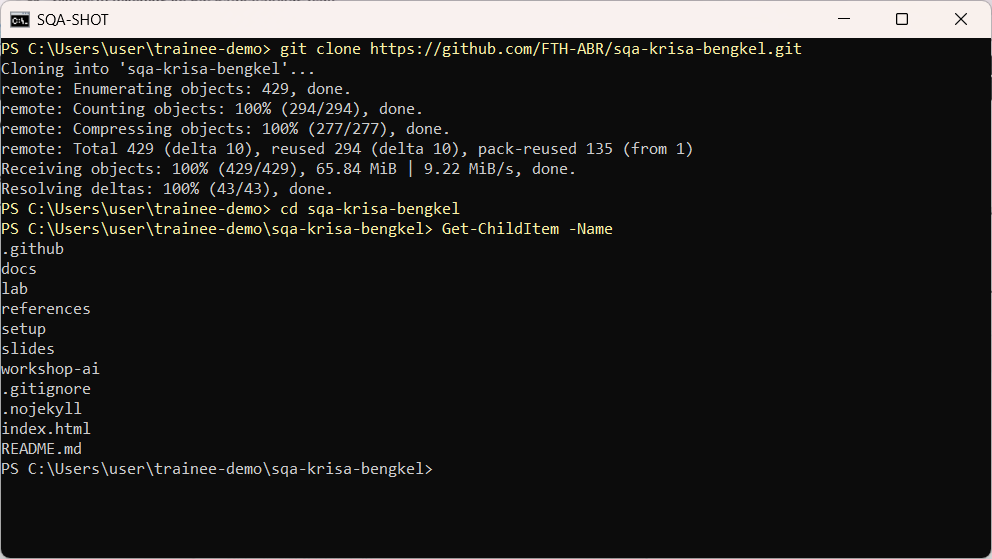
Buka PowerShell, pergi ke folder rumah dan klon repositori kursus.
Open PowerShell, go to your home folder and clone the course repository.
cd $HOME
git clone https://github.com/FTH-ABR/sqa-krisa-bengkel.git
cd sqa-krisa-bengkel
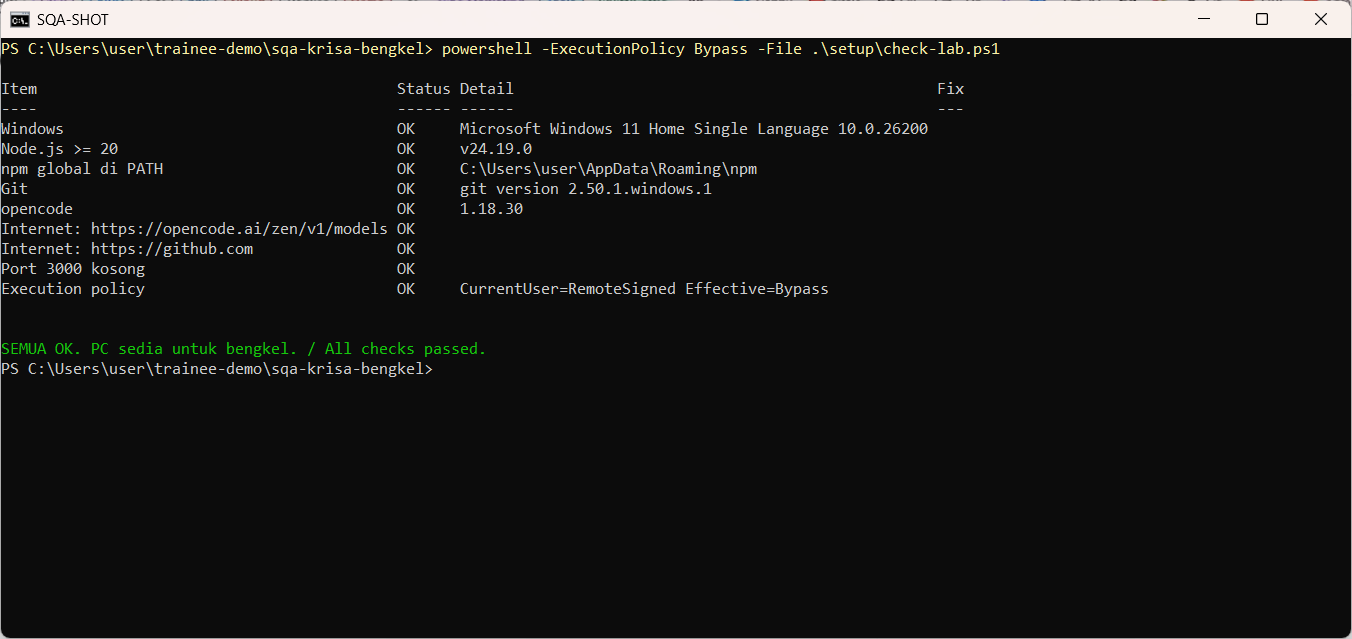
Jalankan semakan kesediaan makmal. Setiap baris mesti OK. Betulkan yang lain menggunakan lajur Fix.
Run the lab readiness check. Every line must say OK. Fix anything else using the Fix column.
powershell -ExecutionPolicy Bypass -File .\setup\check-lab.ps1
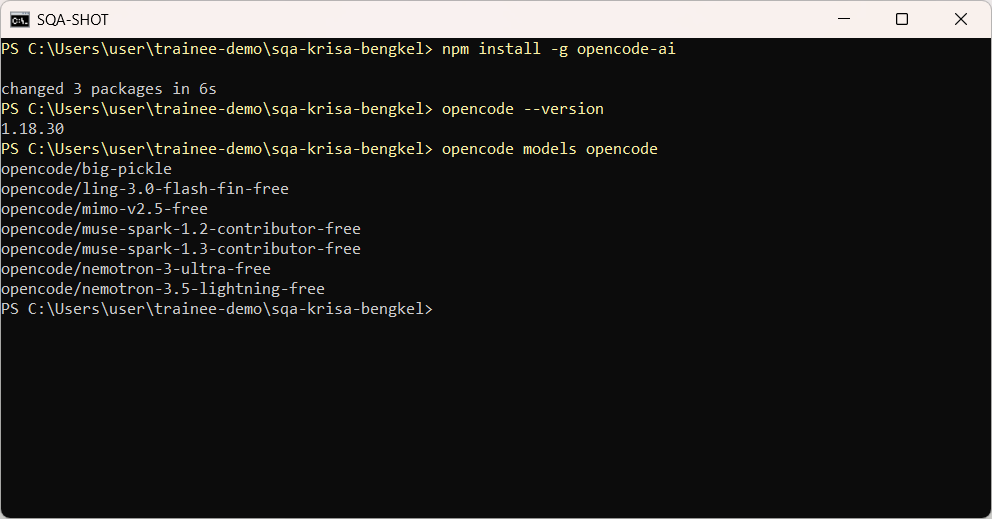
Pasang opencode dengan npm, sahkan versi dan senaraikan model percuma OpenCode Zen.
Install opencode with npm, confirm the version and list the free OpenCode Zen models.
npm install -g opencode-ai
opencode --version
opencode models opencode
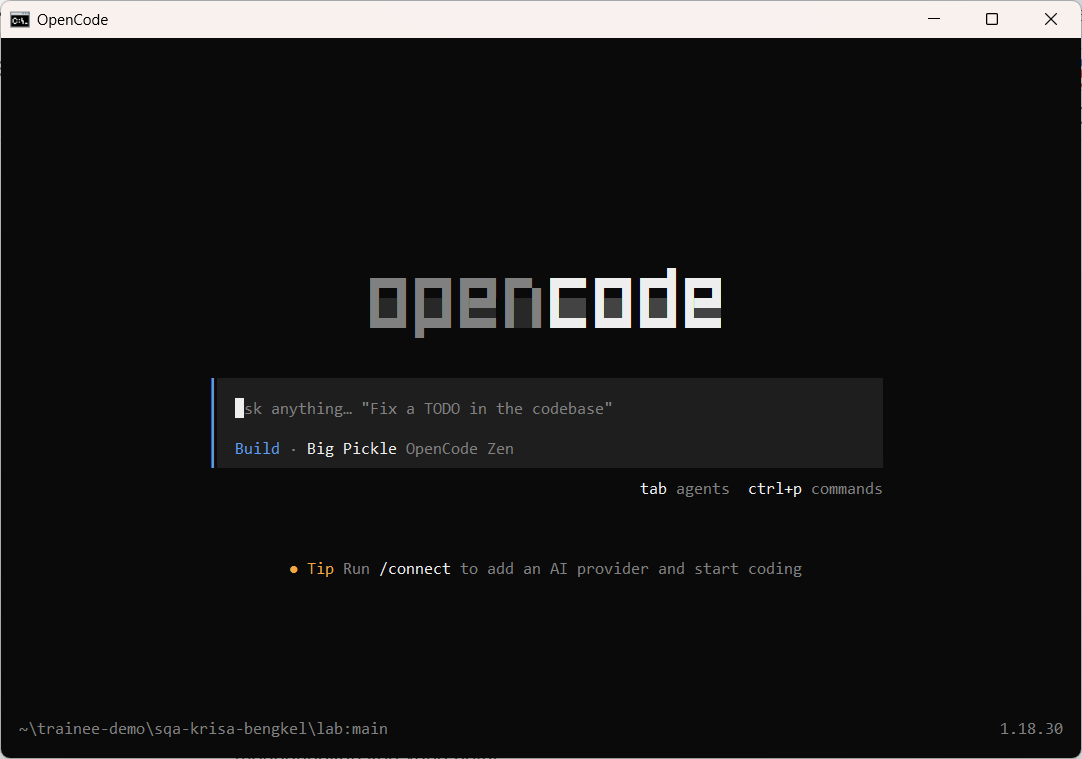
Masuk ke folder lab dan mulakan opencode dengan model percuma Big Pickle. Tiada akaun atau kunci API diperlukan.
Go into the lab folder and start opencode with the free Big Pickle model. No account or API key is needed.
cd lab
opencode -m opencode/big-pickle
Taip soalan pertama dan tekan Enter. Pembantu membaca folder dan AGENTS.md sebelum menjawab.
Type your first question and press Enter. The assistant reads the folder and AGENTS.md before answering.
Terangkan dalam 3 ayat apakah isi folder lab ini dan fail yang paling penting untuk bengkel.
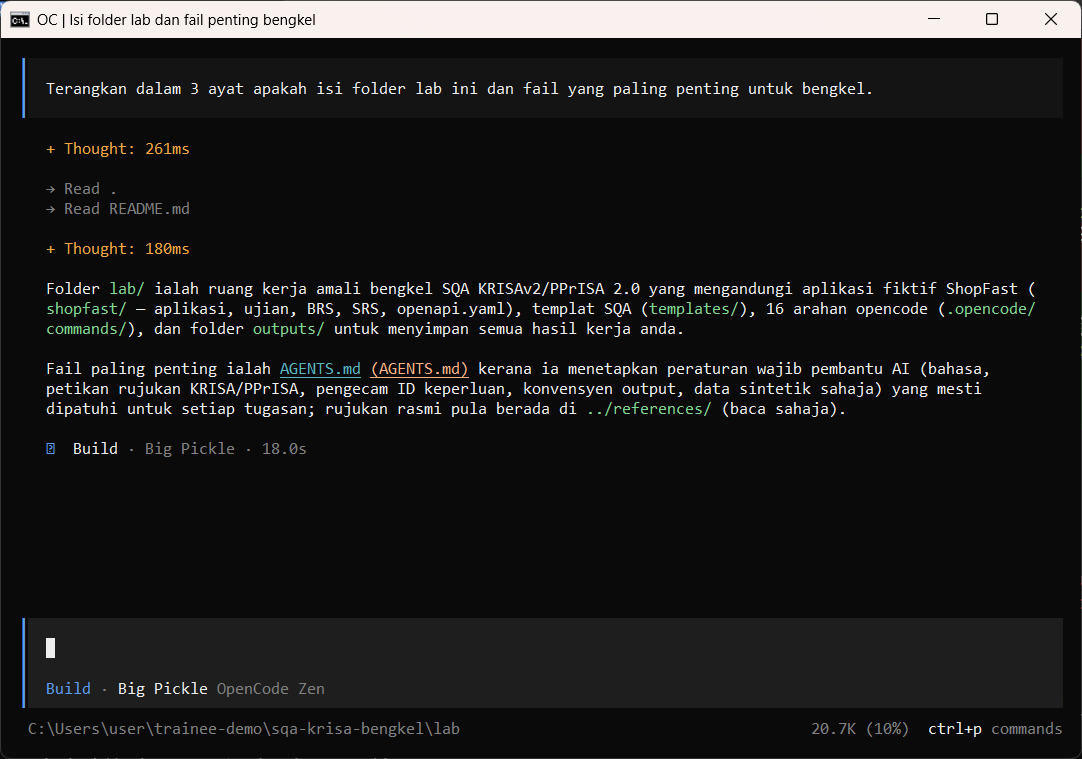
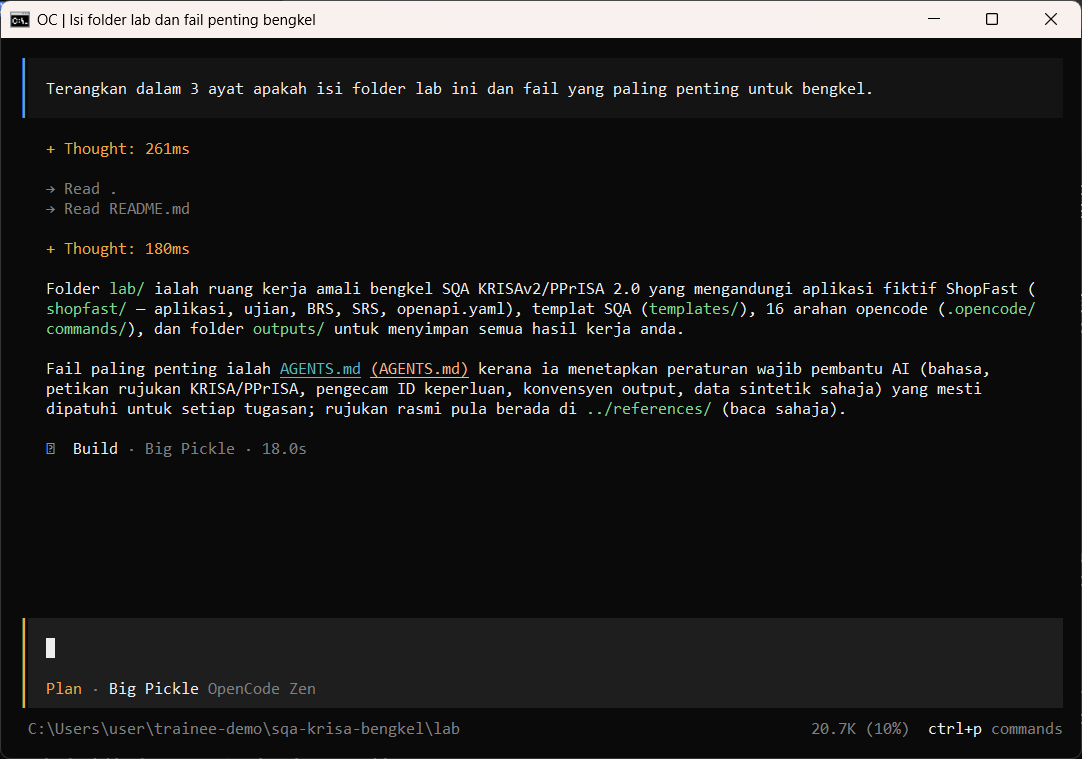
Tekan Tab untuk bertukar antara Build (boleh ubah fail) dan Plan (baca sahaja). Guna Plan untuk semakan.
Press Tab to switch between Build (can edit files) and Plan (read only). Use Plan for reviews.
Tab
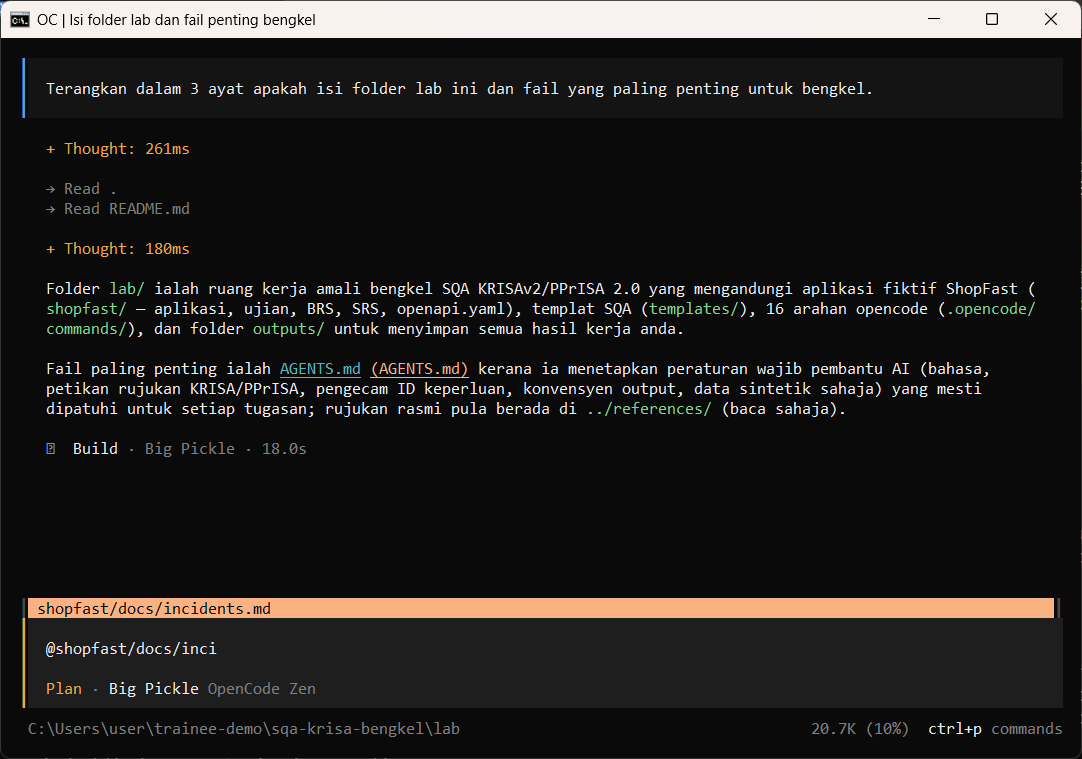
Taip @ dan sebahagian nama fail untuk melampirkan fail pada prompt. Pilih daripada senarai.
Type @ and part of a file name to attach a file to your prompt. Pick it from the list.
@shopfast/docs/inci
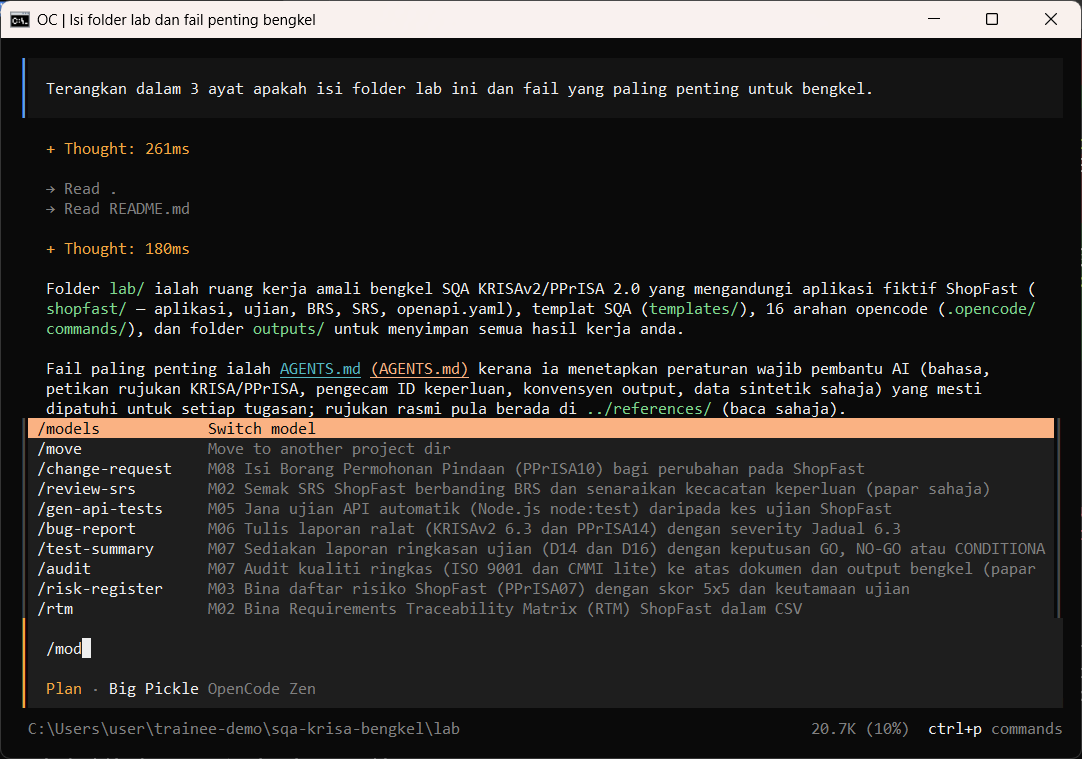
Taip / untuk melihat arahan. Kursus menambah 16 arahan SQA seperti /review-srs dan /testcases.
Type / to see commands. The course adds 16 SQA commands such as /review-srs and /testcases.
/mod
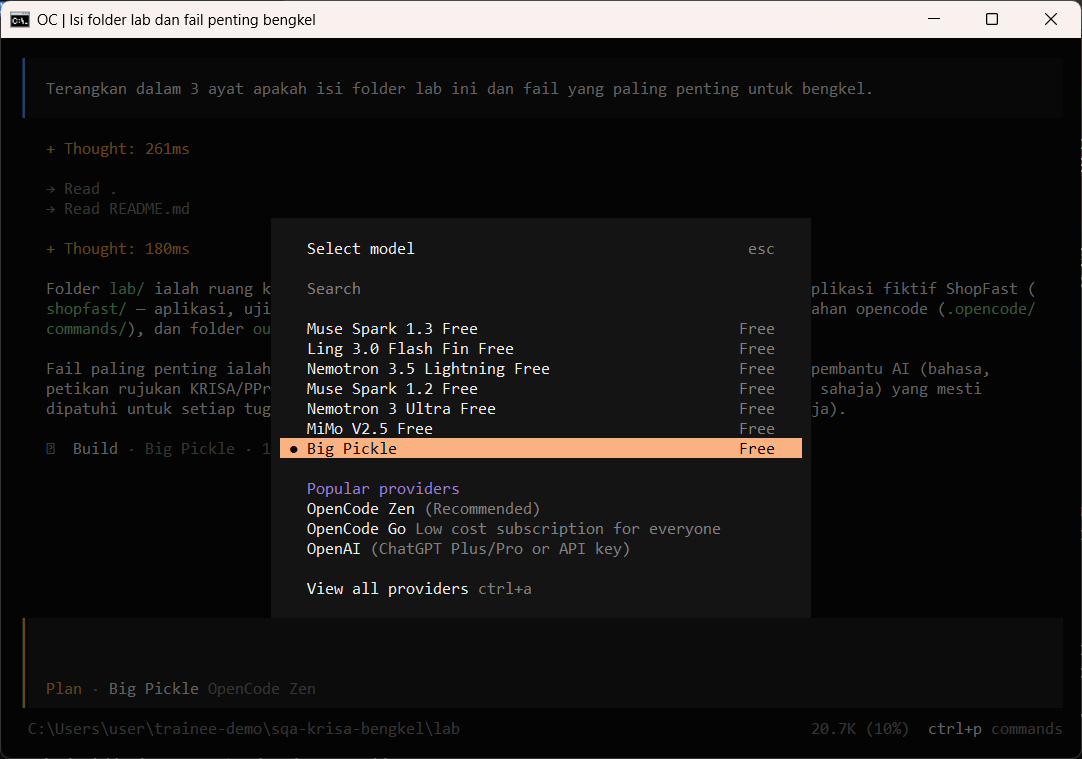
/models memaparkan model percuma. Kekalkan Big Pickle melainkan jurulatih mengarahkan lain.
/models shows the free models. Keep Big Pickle unless the trainer says otherwise.
/models
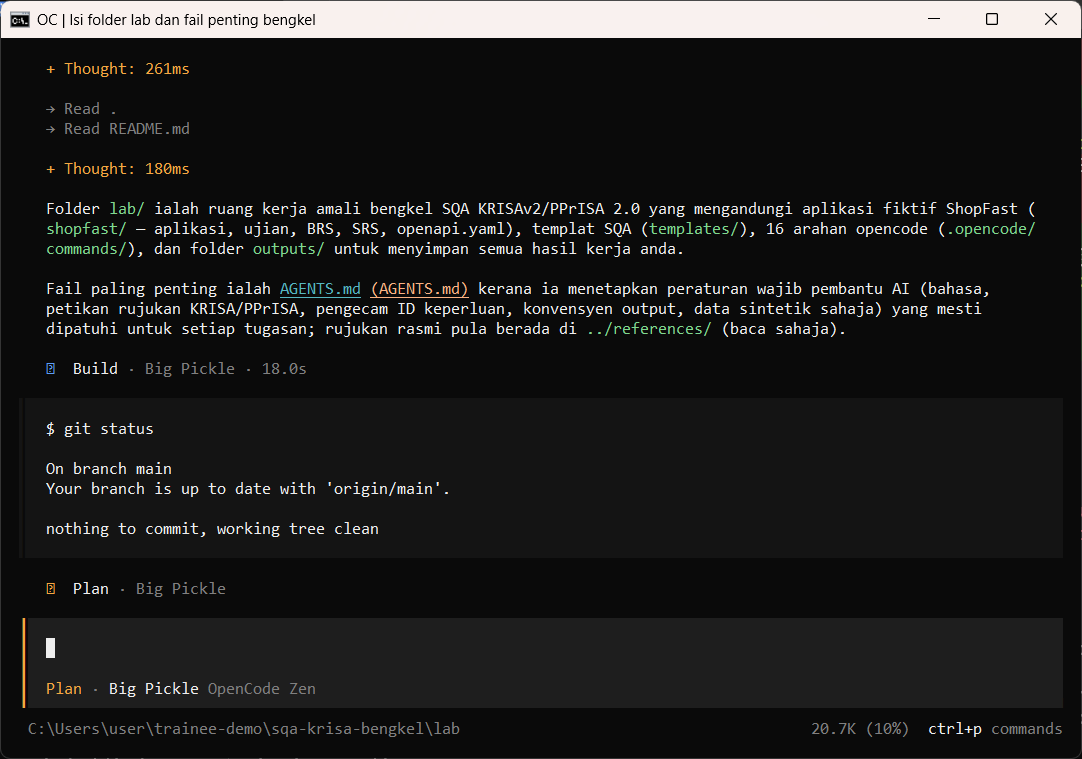
Mulakan baris dengan ! untuk menjalankan arahan terminal tanpa keluar dari opencode.
Start a line with ! to run a terminal command without leaving opencode.
!git status
Semakan manusia / Human check
- check-lab.ps1 menunjukkan SEMUA OK
check-lab.ps1 shows all OK - opencode --version memaparkan 1.18.x
opencode --version prints 1.18.x - Baris status memaparkan Big Pickle, OpenCode Zen
The status line shows Big Pickle, OpenCode Zen
Contoh output sebenar
- Tiada fail output untuk langkah ini.
Jawapan AI berbeza setiap larian. Bandingkan struktur dan semak kandungan.
Jika ada masalah / Troubleshooting
| Masalah | Tindakan |
|---|---|
| opencode is not recognised | Close and reopen PowerShell so PATH refreshes. Still failing: powershell -ExecutionPolicy Bypass -File .\setup\install-opencode.ps1 -Portable |
| Scripts are disabled on this system | Set-ExecutionPolicy -Scope CurrentUser RemoteSigned, or run opencode.cmd instead of opencode |
| The model is slow or stops | Wait up to 2 minutes. Press Esc to interrupt, then send the prompt again. Try another free model with /models |
| Permission required dialog | Read the preview. Choose Allow once for files in outputs/. Reject anything outside the lab folder |
| File or command not found | Check the status bar path ends with \lab. Commands and @files are relative to the lab folder |
| Answer uses Indonesian words or dashes | Reply: Ikut AGENTS.md peraturan 1 dan 14, tulis semula dalam Bahasa Melayu Malaysia |
| Network or proxy error | $env:HTTPS_PROXY = "http://proxy:port" and $env:NO_PROXY = "localhost,127.0.0.1" before starting opencode |
| Port 3000 already in use | $env:PORT = 3001 before npm start, and use http://localhost:3001 |