Matlamat / Goal
Jana kes ujian format D13 dengan teknik dinamakan untuk dua keperluan checkout, kemudian minta AI mencari jurang liputan RTM.
Generate D13-format test cases with named techniques for two checkout requirements, then ask the AI to find RTM coverage gaps.
Peraturan data: guna data sintetik ShopFast sahaja. Model percuma dihoskan di luar negara. Output AI ialah draf yang mesti disemak manusia.
Langkah demi langkah dengan tangkapan skrin sebenar
Jalankan /testcases untuk dua keperluan checkout. AI membaca dokumen dahulu dan mungkin berhenti seketika pada Preparing write. Apabila dialog Permission required muncul, baca pratonton dan pilih Allow once.
Run /testcases for two checkout requirements. The AI reads the documents first and may pause at Preparing write. When the Permission required dialog appears, read the preview and choose Allow once.
/testcases REQ-CHK-01 dan REQ-CHK-03, maksimum 10 kes ujian
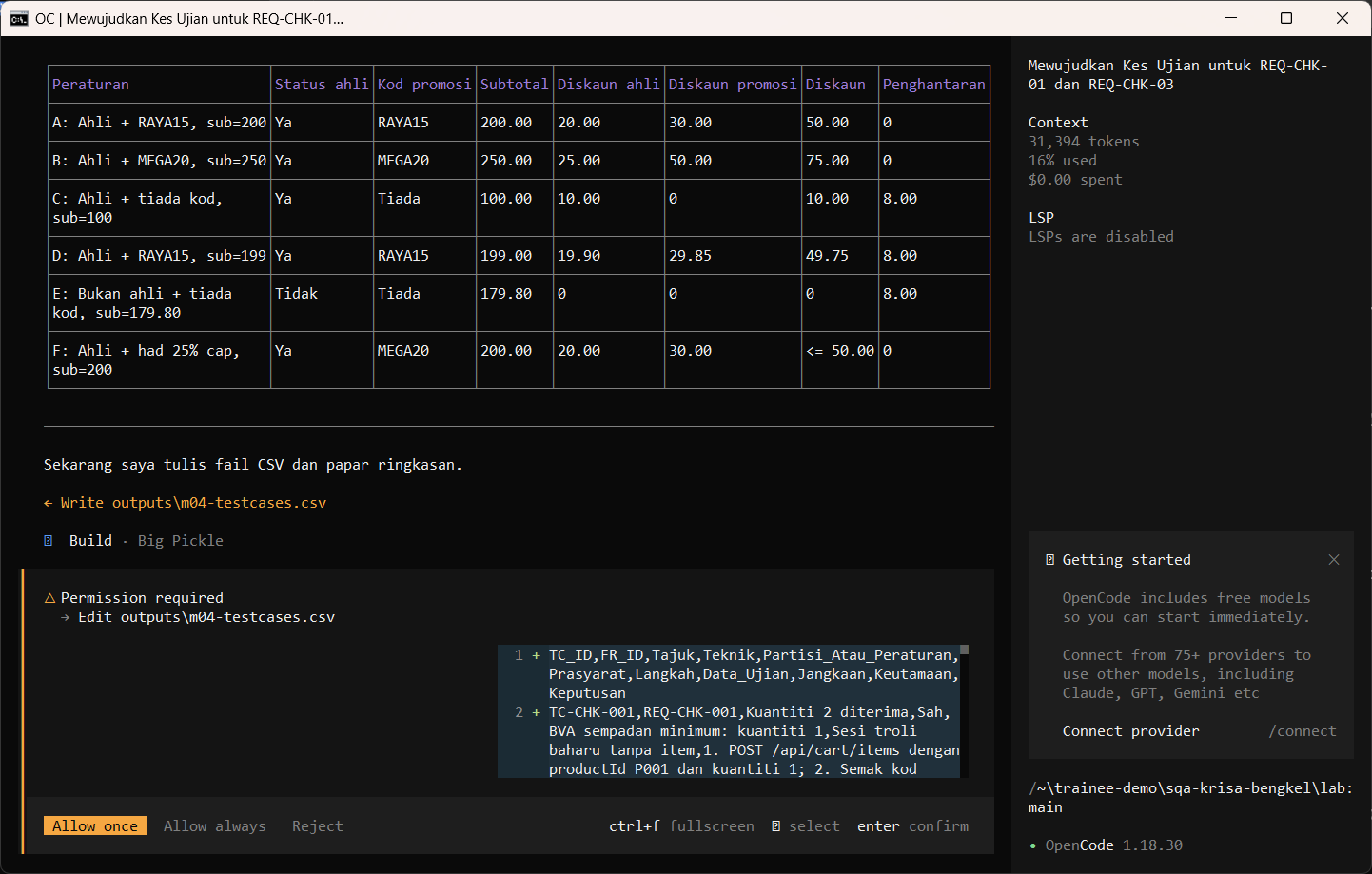
Allow once. Kes ujian format D13 disimpan.
Allow once. The D13-format test cases are saved.
Allow once (Enter)
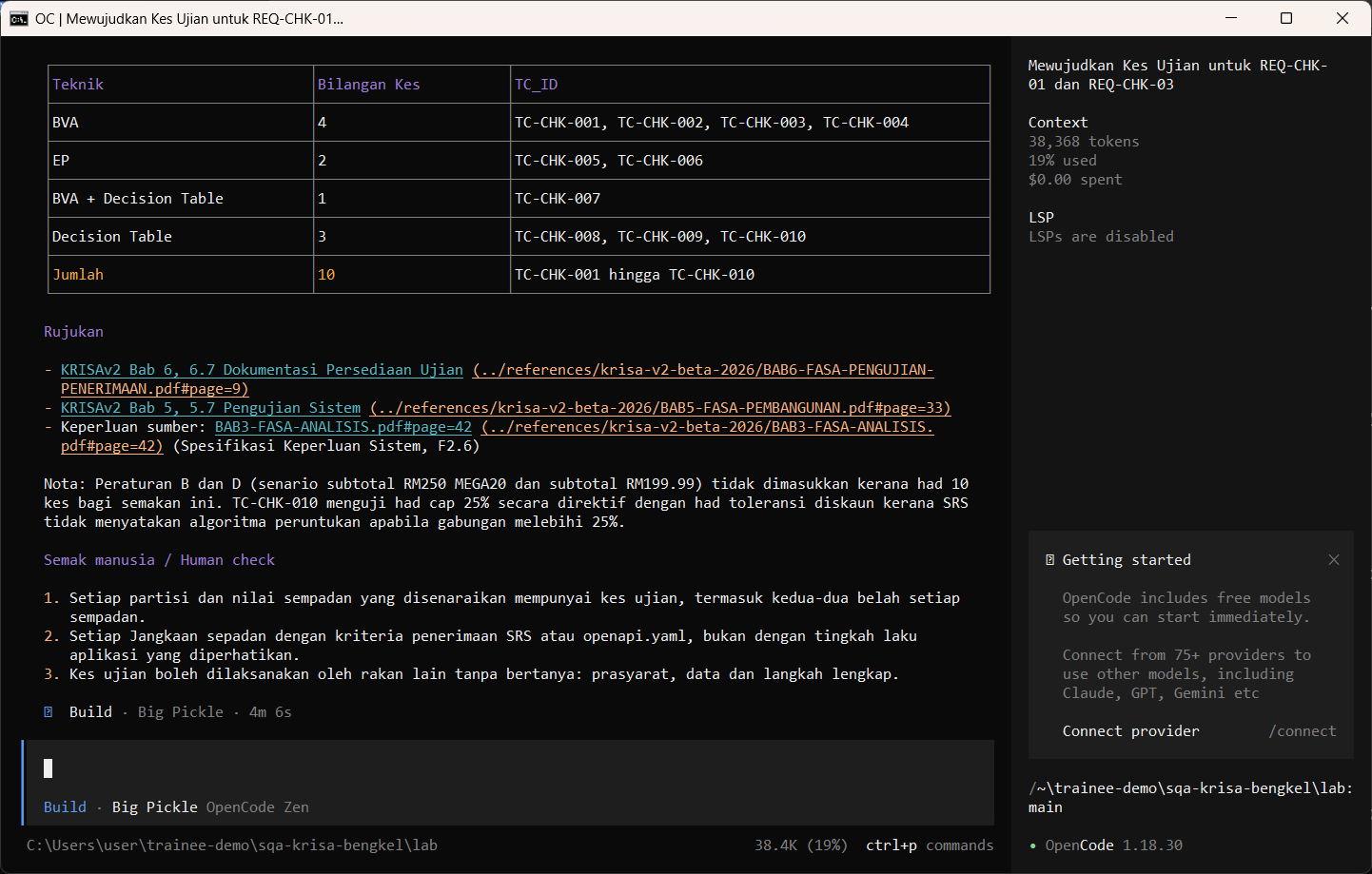
Buka CSV dan semak. Dalam larian sebenar ini AI menulis REQ-CHK-001 dan bukan REQ-CHK-01, melabel satu kes Sah dan bukan teknik, dan terlepas sempadan 10, nilai yang paling mungkin menyembunyikan pepijat. Betulkan sebelum fail digunakan.
Open the CSV and check it. In this real run the AI wrote REQ-CHK-001 instead of REQ-CHK-01, labelled one case Sah instead of a technique, and missed boundary 10, the value most likely to hide a bug. Fix these before using the file.
Import-Csv outputs\m04-testcases.csv | Format-Table -AutoSize -Wrap
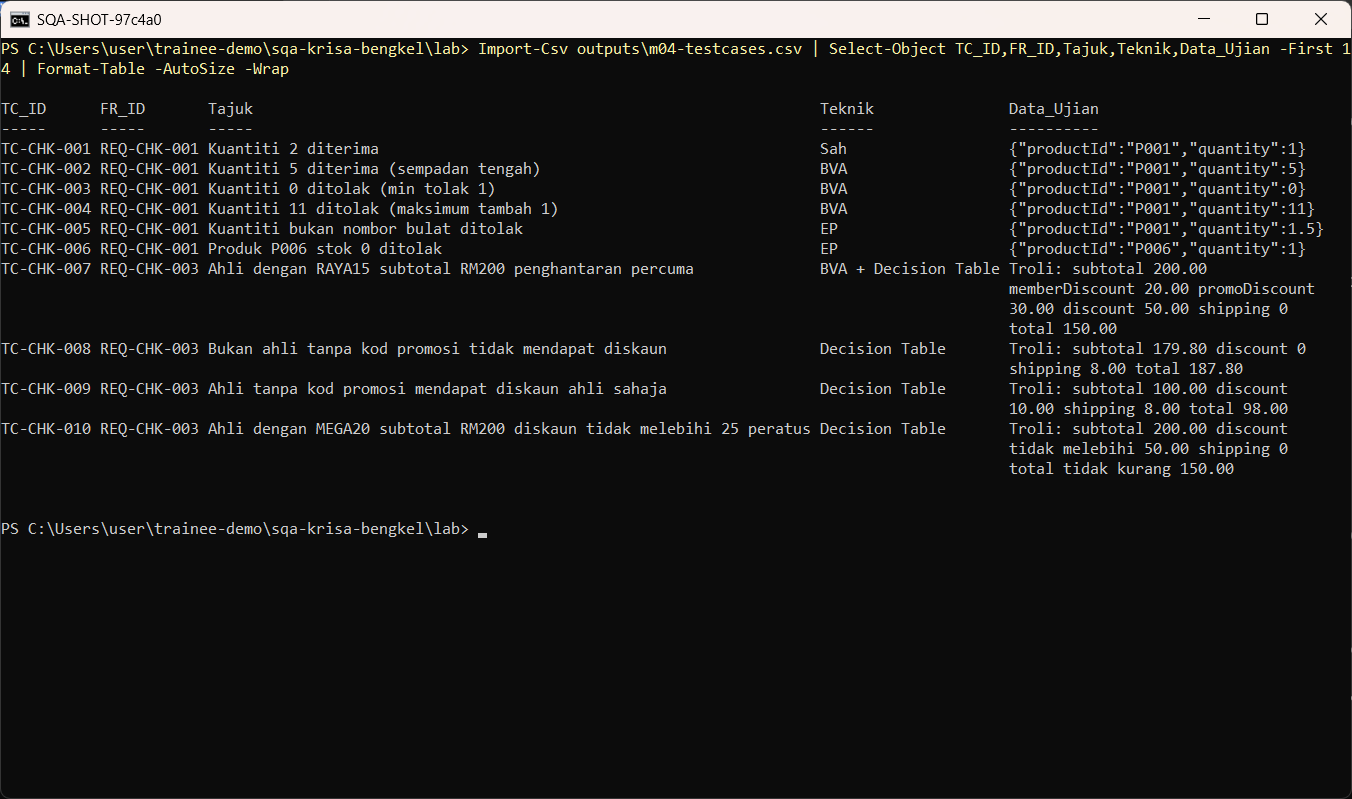
Minta ejen Plan membandingkan kes ujian dengan RTM. Ia betul menyenaraikan 4 keperluan tanpa liputan, tetapi mendakwa REQ-CHK-001 wujud dalam RTM sedangkan RTM menggunakan REQ-CHK-01. AI tidak menyemak ID sendiri: anda yang mesti menyemak.
Ask the Plan agent to compare test cases with the RTM. It correctly lists 4 uncovered requirements, but claims REQ-CHK-001 exists in the RTM when the RTM uses REQ-CHK-01. The AI does not check its own IDs: you must.
Bandingkan outputs/m04-testcases.csv dengan outputs/m02-rtm.csv. Senaraikan keperluan tanpa kes ujian dan kes ujian tanpa keperluan. Jangan tulis fail.
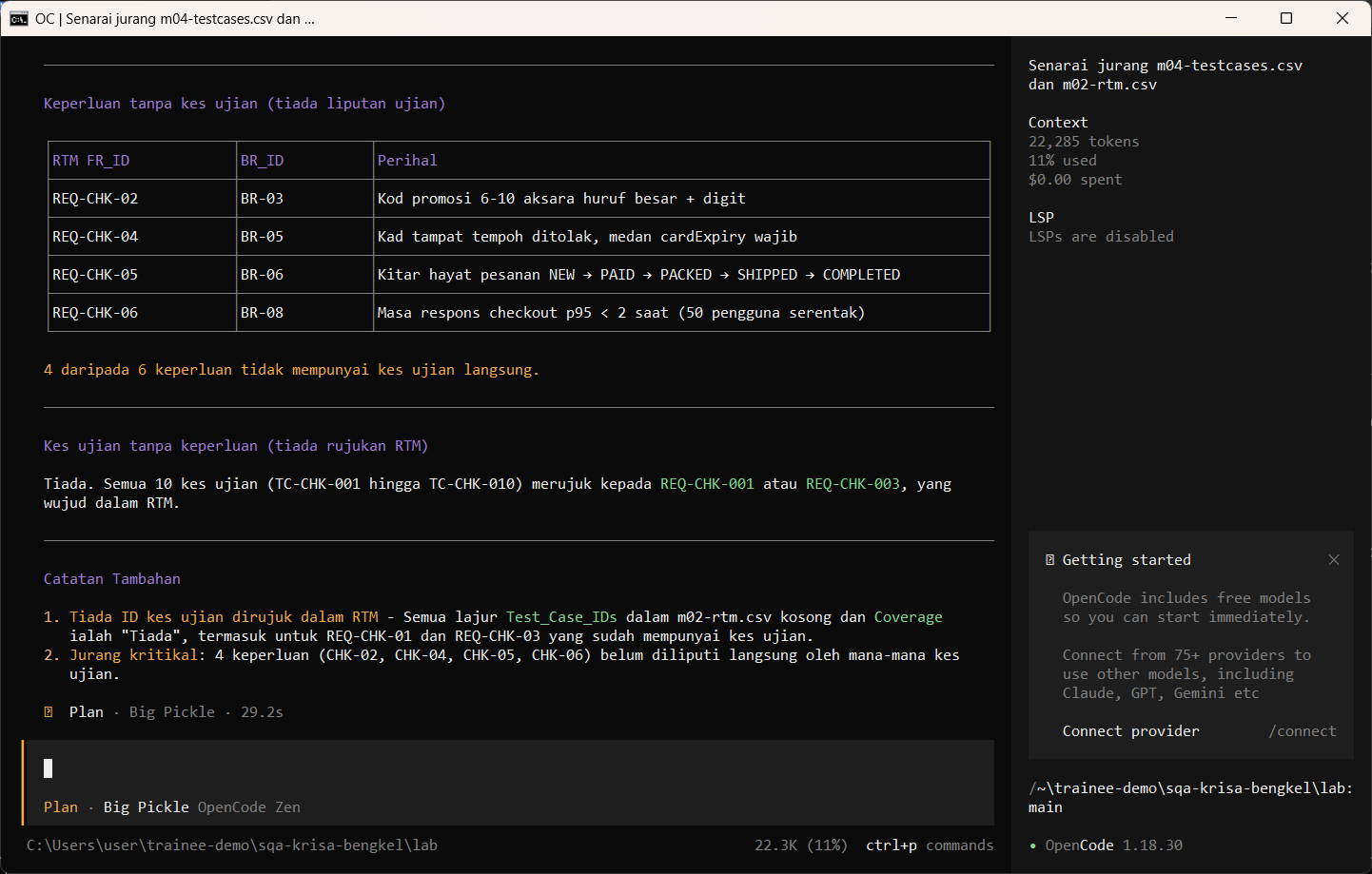
Semakan manusia / Human check
- Nilai sempadan 10 dan RM200.00 ada
Boundary values 10 and RM200.00 are present - Setiap kes menamakan teknik dan ID REQ-CHK
Every case names its technique and REQ-CHK ID - Hasil dijangka datang daripada SRS, bukan daripada tingkah laku aplikasi
Expected results come from the SRS, not from what the app does
Contoh output sebenar
Jawapan AI berbeza setiap larian. Bandingkan struktur dan semak kandungan.
Jika ada masalah / Troubleshooting
| Masalah | Tindakan |
|---|---|
| opencode is not recognised | Close and reopen PowerShell so PATH refreshes. Still failing: powershell -ExecutionPolicy Bypass -File .\setup\install-opencode.ps1 -Portable |
| Scripts are disabled on this system | Set-ExecutionPolicy -Scope CurrentUser RemoteSigned, or run opencode.cmd instead of opencode |
| The model is slow or stops | Wait up to 2 minutes. Press Esc to interrupt, then send the prompt again. Try another free model with /models |
| Permission required dialog | Read the preview. Choose Allow once for files in outputs/. Reject anything outside the lab folder |
| File or command not found | Check the status bar path ends with \lab. Commands and @files are relative to the lab folder |
| Answer uses Indonesian words or dashes | Reply: Ikut AGENTS.md peraturan 1 dan 14, tulis semula dalam Bahasa Melayu Malaysia |
| Network or proxy error | $env:HTTPS_PROXY = "http://proxy:port" and $env:NO_PROXY = "localhost,127.0.0.1" before starting opencode |
| Port 3000 already in use | $env:PORT = 3001 before npm start, and use http://localhost:3001 |