Matlamat / Goal
Tukar kegagalan yang anda hasilkan semula kepada laporan pepijat lengkap dengan severity KRISAv2, kira metrik daripada larian ujian dan sediakan ringkasan triage.
Turn the failure you reproduced into a complete bug report with KRISAv2 severity, compute metrics from your test run, and prepare a triage summary.
Peraturan data: guna data sintetik ShopFast sahaja. Model percuma dihoskan di luar negara. Output AI ialah draf yang mesti disemak manusia.
Langkah demi langkah dengan tangkapan skrin sebenar
Jalankan /bug-report dengan bukti penghasilan semula anda. AI membaca dokumen dahulu dan mungkin berhenti seketika pada Preparing write. Apabila dialog Permission required muncul, baca pratonton dan pilih Allow once.
Run /bug-report with your reproduction evidence. The AI reads the documents first and may pause at Preparing write. When the Permission required dialog appears, read the preview and choose Allow once.
/bug-report Langkah: tambah P002 kuantiti 10 melalui POST /api/cart/items. Dijangka: 201 dan kuantiti 10 diterima (REQ-CHK-01). Sebenar: 400 VALIDATION_ERROR. Bukti: ujian tests/ui/m05-senario.spec.js gagal, binaan 1.0.0.
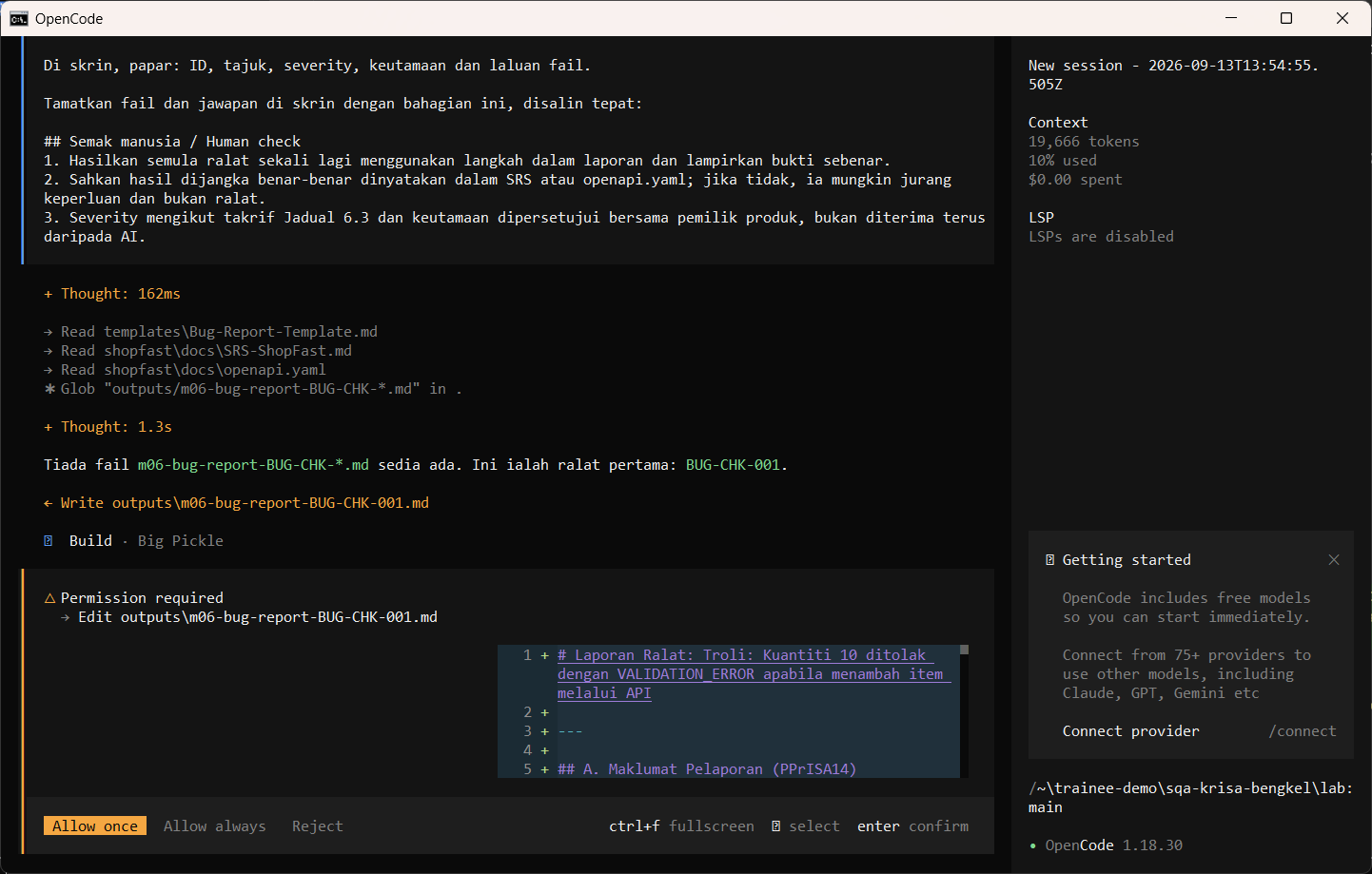
Allow once. Semak severity dengan KRISAv2 Jadual 6.3.
Allow once. Check the severity against KRISAv2 Jadual 6.3.
Allow once (Enter)
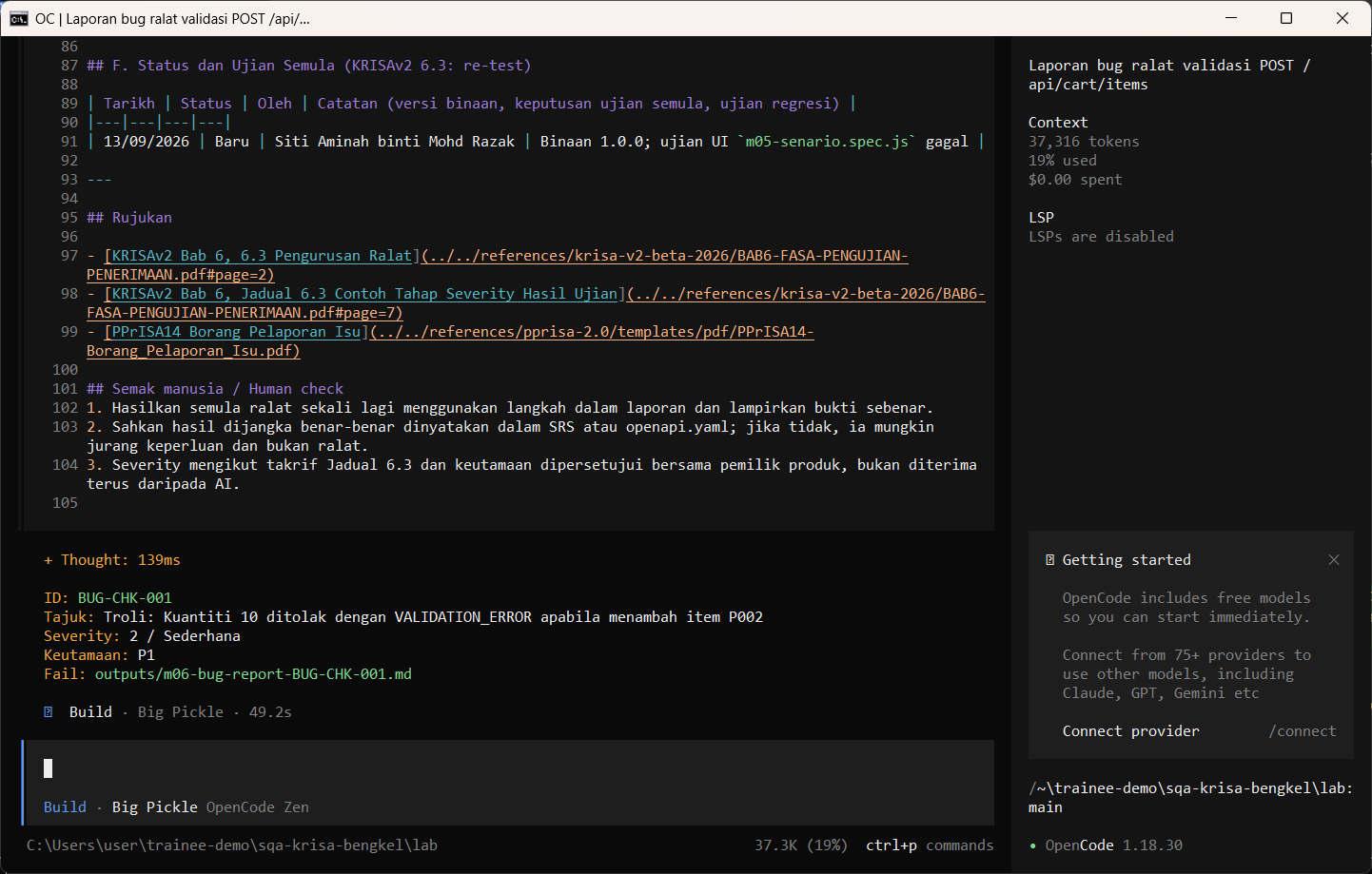
Jalankan /metrics dengan angka larian ujian anda. AI membaca dokumen dahulu dan mungkin berhenti seketika pada Preparing write. Apabila dialog Permission required muncul, baca pratonton dan pilih Allow once.
Run /metrics with your test run numbers. The AI reads the documents first and may pause at Preparing write. When the Permission required dialog appears, read the preview and choose Allow once.
/metrics kes dirancang 20, dilaksana 18, lulus 13, gagal 5, pepijat ditemui 5, pepijat bocor ke produksi 1, saiz kod 1.2 KLOC
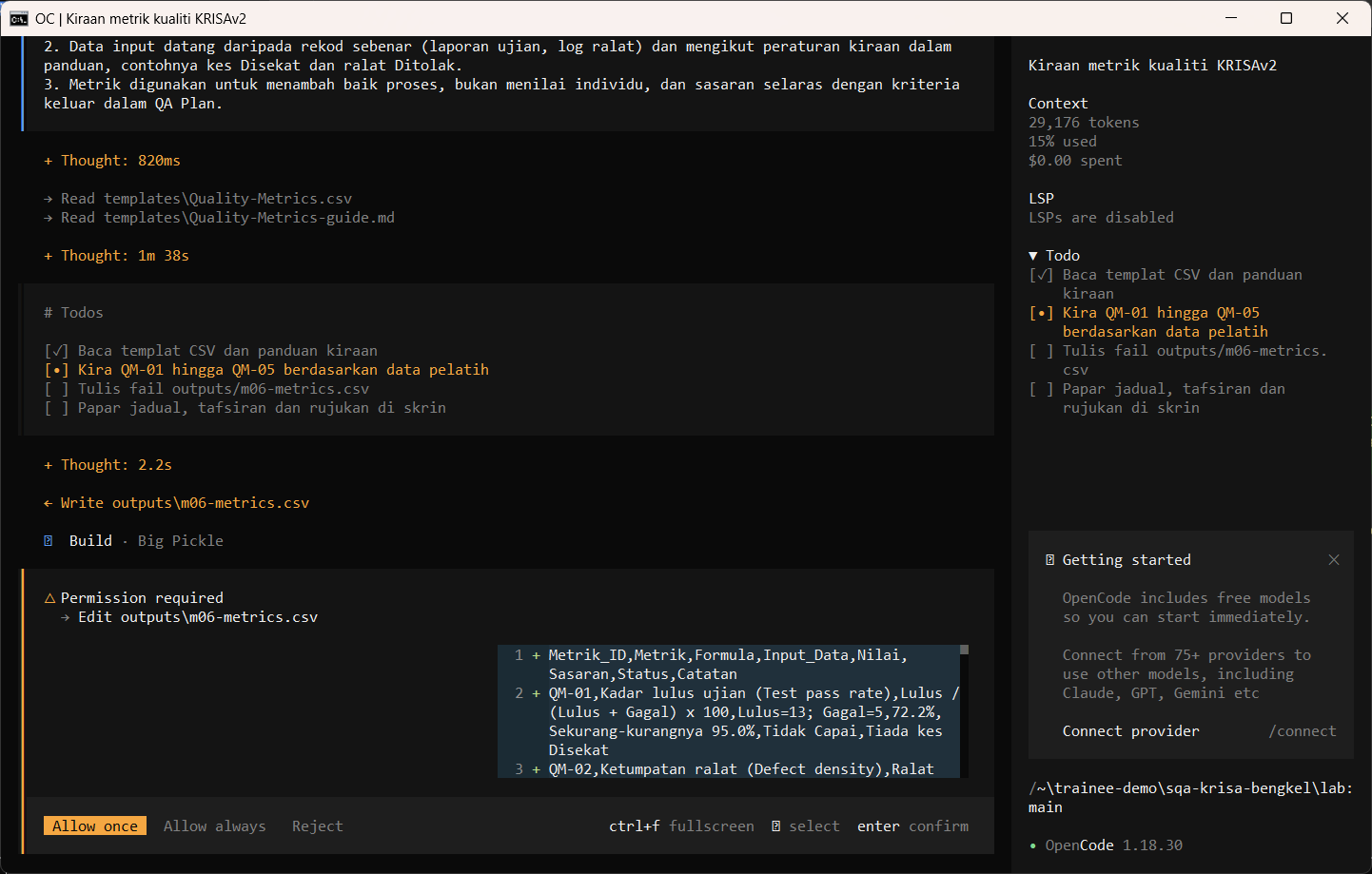
Allow once. CSV metrik memaparkan setiap formula.
Allow once. The metrics CSV shows each formula.
Allow once (Enter)
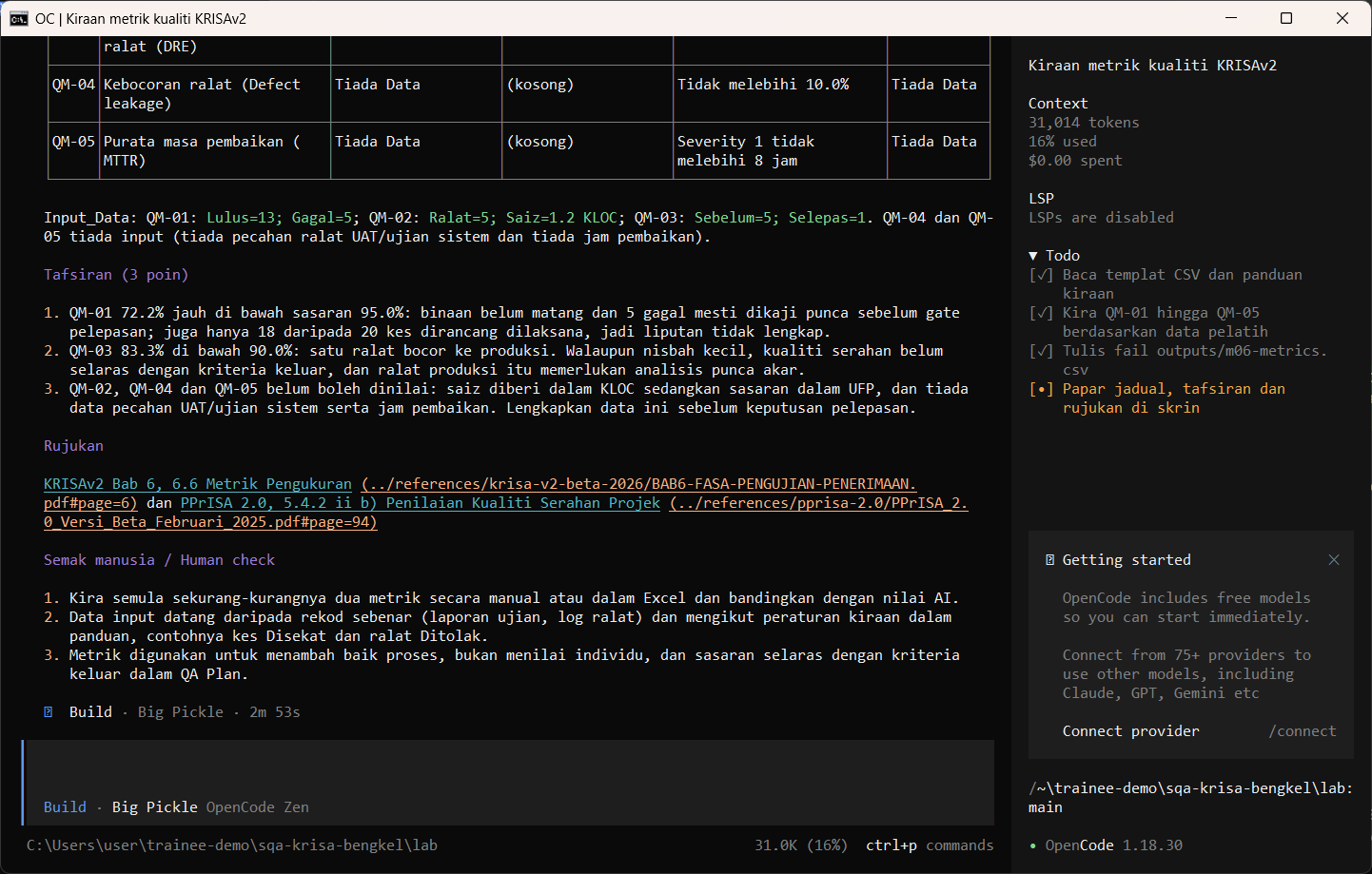
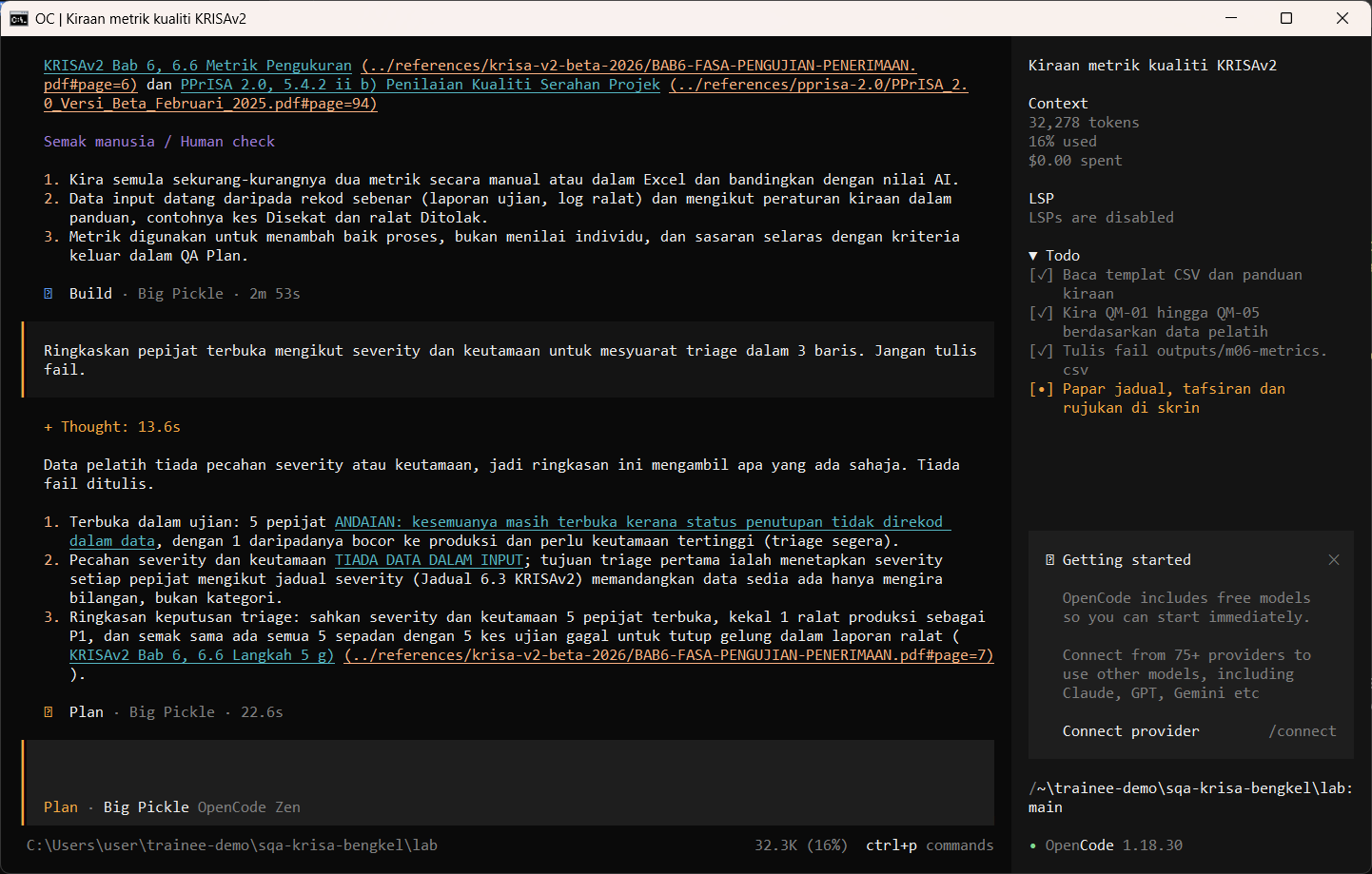
Tukar ke Plan dan minta ringkasan triage tiga baris.
Switch to Plan and ask for a three-line triage summary.
Ringkaskan pepijat terbuka mengikut severity dan keutamaan untuk mesyuarat triage dalam 3 baris. Jangan tulis fail.
Semakan manusia / Human check
- Langkah boleh dihasilkan semula oleh orang lain
Steps can be reproduced by someone else - Severity mengikut KRISAv2 Jadual 6.3; keutamaan ialah keputusan bisnes
Severity follows KRISAv2 Jadual 6.3; priority is a business decision - Formula metrik dipaparkan supaya angka boleh disemak semula
Metric formulas are shown so the numbers can be rechecked
Contoh output sebenar
Jawapan AI berbeza setiap larian. Bandingkan struktur dan semak kandungan.
Jika ada masalah / Troubleshooting
| Masalah | Tindakan |
|---|---|
| opencode is not recognised | Close and reopen PowerShell so PATH refreshes. Still failing: powershell -ExecutionPolicy Bypass -File .\setup\install-opencode.ps1 -Portable |
| Scripts are disabled on this system | Set-ExecutionPolicy -Scope CurrentUser RemoteSigned, or run opencode.cmd instead of opencode |
| The model is slow or stops | Wait up to 2 minutes. Press Esc to interrupt, then send the prompt again. Try another free model with /models |
| Permission required dialog | Read the preview. Choose Allow once for files in outputs/. Reject anything outside the lab folder |
| File or command not found | Check the status bar path ends with \lab. Commands and @files are relative to the lab folder |
| Answer uses Indonesian words or dashes | Reply: Ikut AGENTS.md peraturan 1 dan 14, tulis semula dalam Bahasa Melayu Malaysia |
| Network or proxy error | $env:HTTPS_PROXY = "http://proxy:port" and $env:NO_PROXY = "localhost,127.0.0.1" before starting opencode |
| Port 3000 already in use | $env:PORT = 3001 before npm start, and use http://localhost:3001 |