Matlamat / Goal
Bangkitkan permohonan pindaan PPrISA10 untuk kod promo baharu, biar AI menjejak impak melalui RTM dan kes ujian, dan semak aliran kerja quality gate CI.
Raise a PPrISA10 change request for a new promo code, let the AI trace the impact through the RTM and test cases, and review the CI quality gate workflow.
Peraturan data: guna data sintetik ShopFast sahaja. Model percuma dihoskan di luar negara. Output AI ialah draf yang mesti disemak manusia.
Langkah demi langkah dengan tangkapan skrin sebenar
Jalankan /change-request untuk kod promo RAYA26. AI membaca dokumen dahulu dan mungkin berhenti seketika pada Preparing write. Apabila dialog Permission required muncul, baca pratonton dan pilih Allow once.
Run /change-request for promo code RAYA26. The AI reads the documents first and may pause at Preparing write. When the Permission required dialog appears, read the preview and choose Allow once.
/change-request Tambah kod promo RAYA26 (diskaun 26 peratus, sah 1 hingga 31 Mac 2027) pada checkout ShopFast
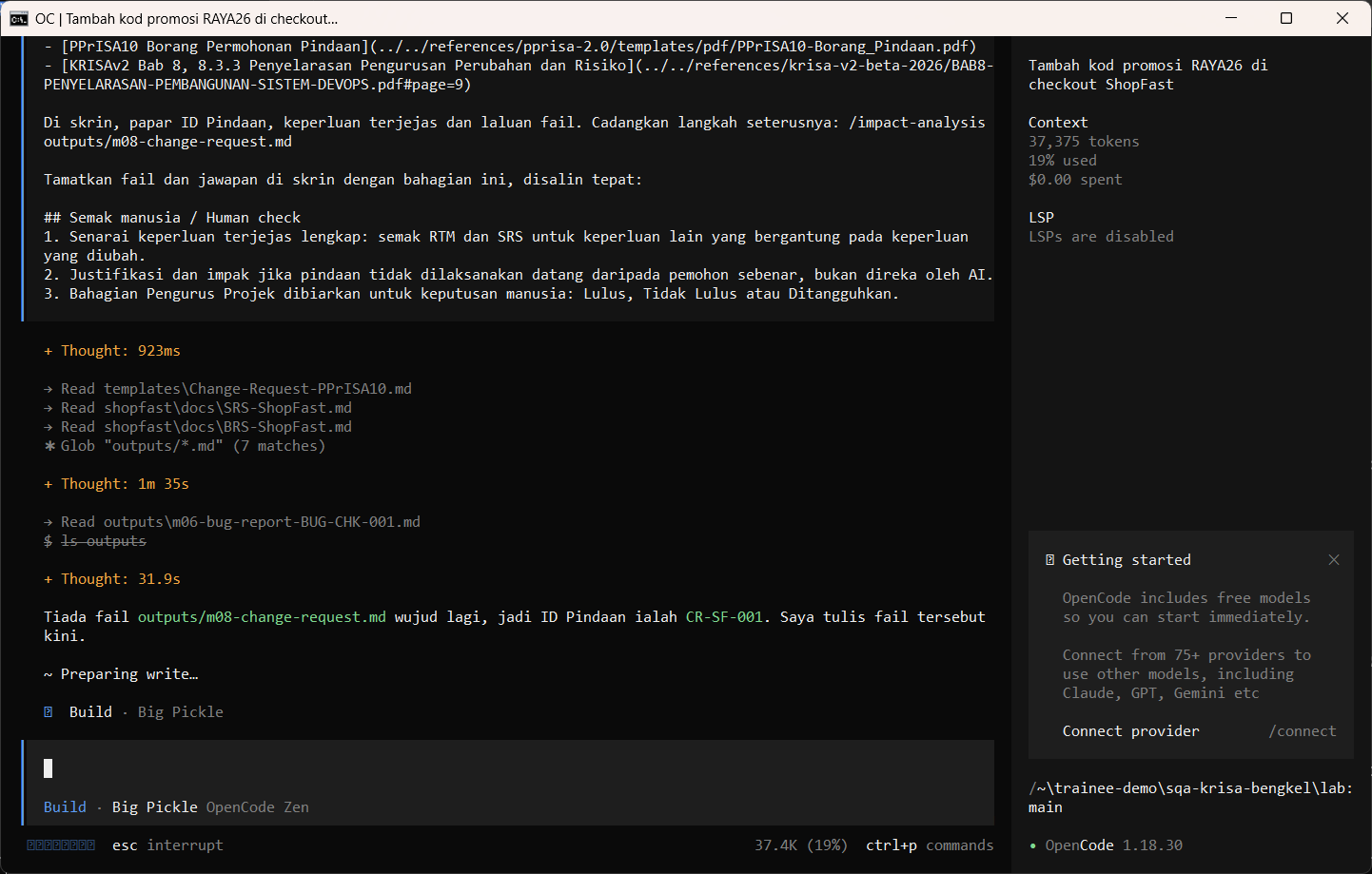
Allow once. Permohonan pindaan gaya PPrISA10 disimpan.
Allow once. The PPrISA10-style change request is saved.
Allow once (Enter)
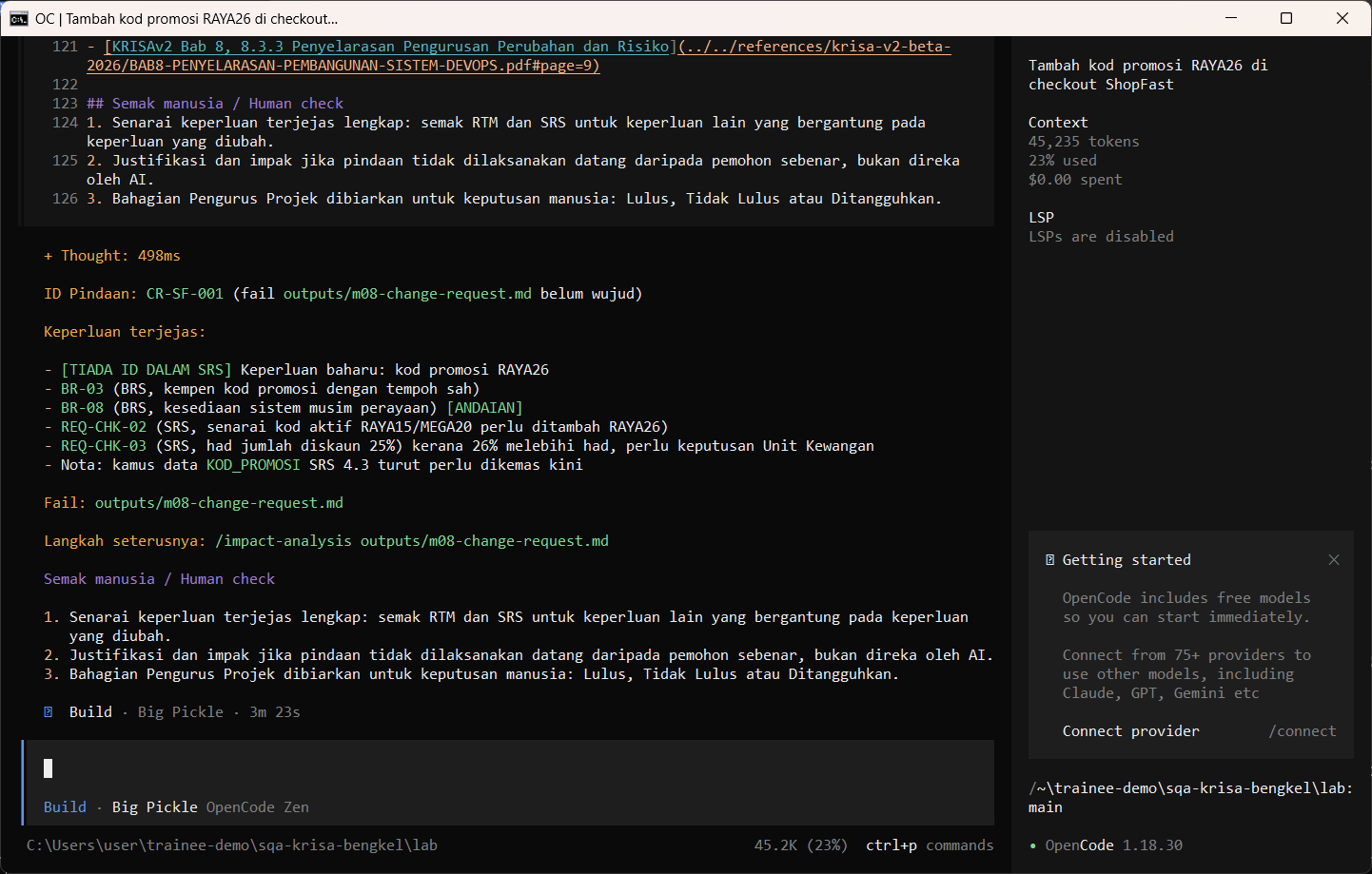
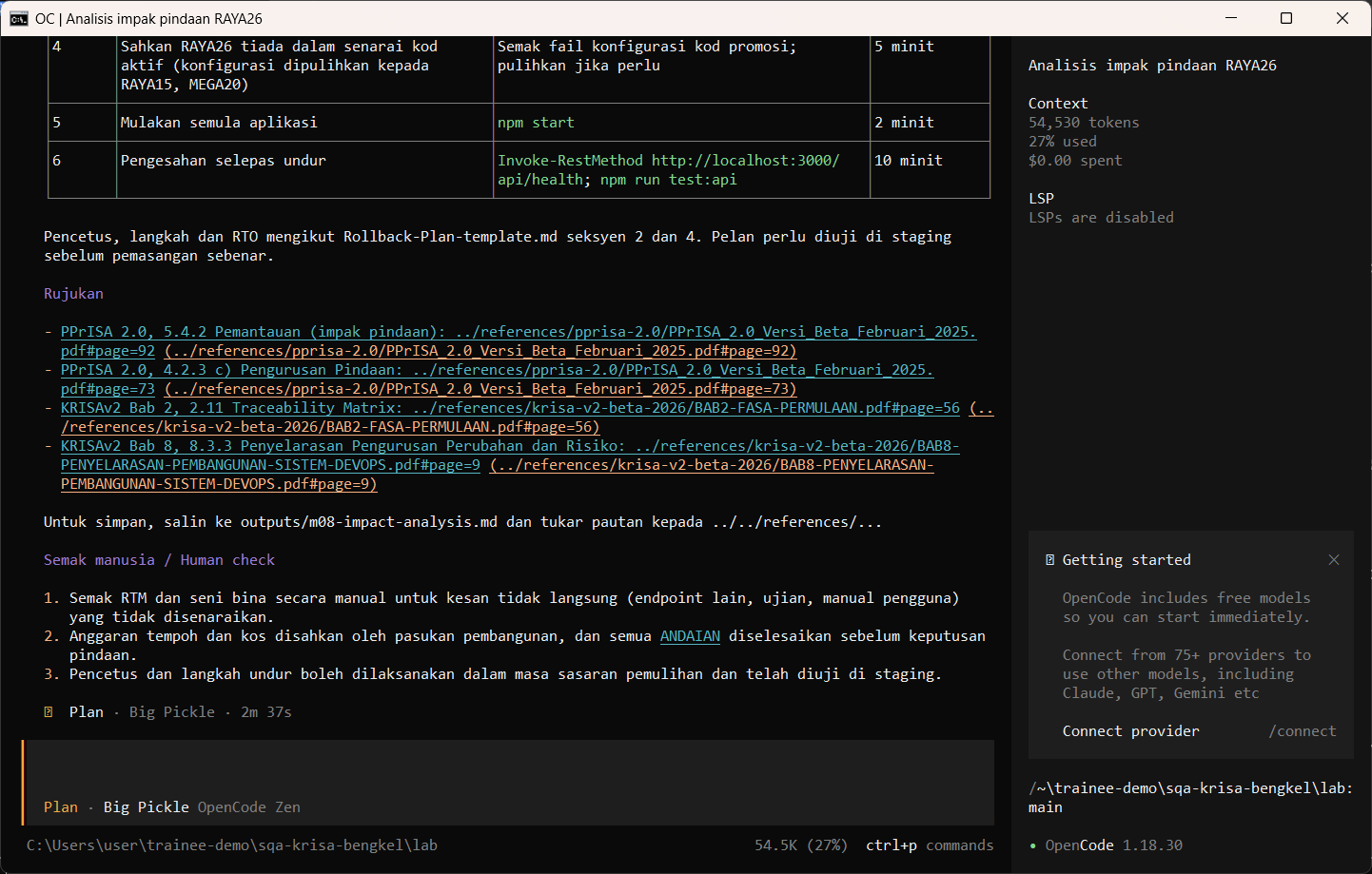
Jalankan /impact-analysis dalam mod Plan.
Run /impact-analysis in Plan mode.
/impact-analysis RAYA26
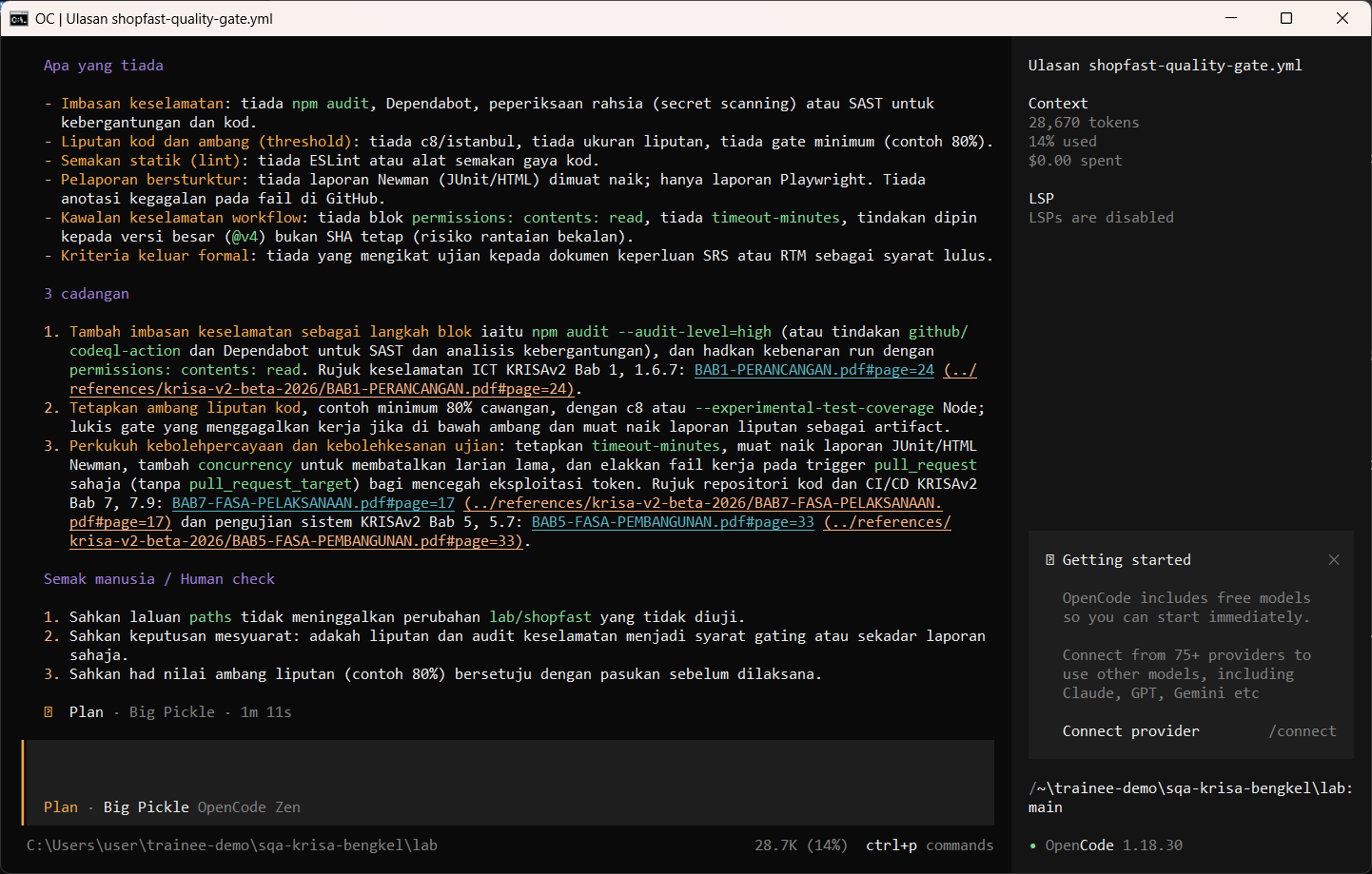
Minta ejen Plan menyemak quality gate GitHub Actions.
Ask the Plan agent to review the GitHub Actions quality gate.
Semak ../.github/workflows/shopfast-quality-gate.yml sebagai quality gate. Nyatakan apa yang disemak, apa yang tiada (contoh imbasan keselamatan atau ambang liputan) dan 3 cadangan. Jangan tulis fail.
Semakan manusia / Human check
- RAYA26 pada 26 peratus melanggar had 25 peratus dalam REQ-CHK-03: adakah AI perasan?
RAYA26 at 26 percent breaks the 25 percent cap in REQ-CHK-03: did the AI notice? - Set regresi adalah minimum dan dijejak ke ID REQ-CHK
The regression set is minimal and traced to REQ-CHK IDs - Rollback mempunyai pencetus yang jelas dan pemilik
Rollback has a clear trigger and an owner
Contoh output sebenar
Jawapan AI berbeza setiap larian. Bandingkan struktur dan semak kandungan.
Jika ada masalah / Troubleshooting
| Masalah | Tindakan |
|---|---|
| opencode is not recognised | Close and reopen PowerShell so PATH refreshes. Still failing: powershell -ExecutionPolicy Bypass -File .\setup\install-opencode.ps1 -Portable |
| Scripts are disabled on this system | Set-ExecutionPolicy -Scope CurrentUser RemoteSigned, or run opencode.cmd instead of opencode |
| The model is slow or stops | Wait up to 2 minutes. Press Esc to interrupt, then send the prompt again. Try another free model with /models |
| Permission required dialog | Read the preview. Choose Allow once for files in outputs/. Reject anything outside the lab folder |
| File or command not found | Check the status bar path ends with \lab. Commands and @files are relative to the lab folder |
| Answer uses Indonesian words or dashes | Reply: Ikut AGENTS.md peraturan 1 dan 14, tulis semula dalam Bahasa Melayu Malaysia |
| Network or proxy error | $env:HTTPS_PROXY = "http://proxy:port" and $env:NO_PROXY = "localhost,127.0.0.1" before starting opencode |
| Port 3000 already in use | $env:PORT = 3001 before npm start, and use http://localhost:3001 |