Matlamat / Goal
Biar AI menilai quality gate daripada bukti yang anda hasilkan selama dua hari, termasuk larian ujian secara langsung, kemudian bentangkan jejak dan kesilapan AI yang anda tangkap.
Let the AI evaluate a quality gate from the evidence you produced over two days, including a live test run, then present the trail and the AI mistakes you caught.
Peraturan data: guna data sintetik ShopFast sahaja. Model percuma dihoskan di luar negara. Output AI ialah draf yang mesti disemak manusia.
Langkah demi langkah dengan tangkapan skrin sebenar
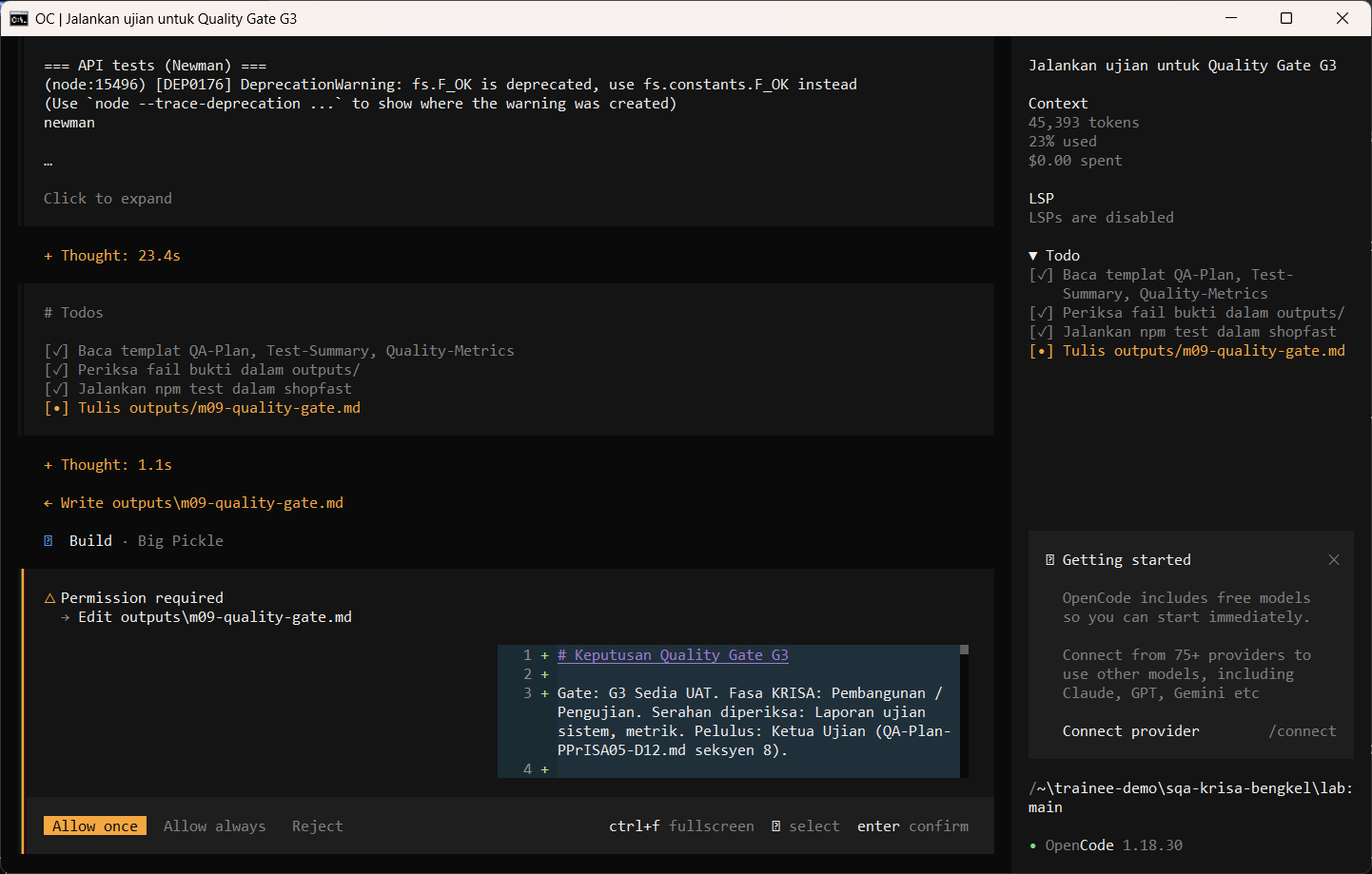
Jalankan /quality-gate dengan larian ujian langsung. opencode menjalankan npm test (dibenarkan dalam opencode.json) dan meminta kebenaran sebelum menulis. AI membaca dokumen dahulu dan mungkin berhenti seketika pada Preparing write. Apabila dialog Permission required muncul, baca pratonton dan pilih Allow once.
Run /quality-gate with a live test run. opencode runs npm test (allowed in opencode.json) and asks before writing. The AI reads the documents first and may pause at Preparing write. When the Permission required dialog appears, read the preview and choose Allow once.
/quality-gate G3 jalankan-ujian
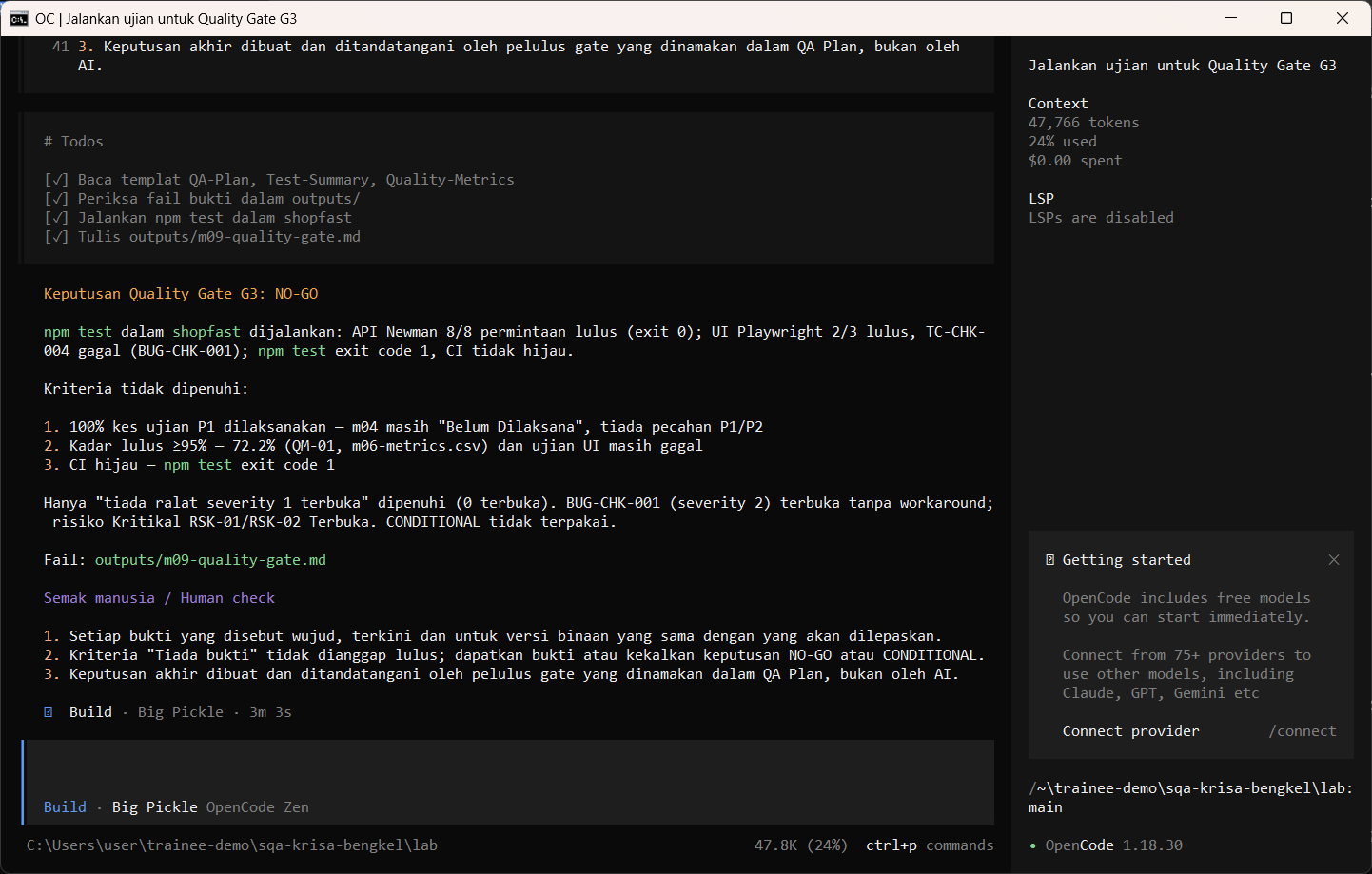
Allow once. Baca keputusan dan bukti bagi setiap kriteria.
Allow once. Read the decision and the evidence per criterion.
Allow once (Enter)
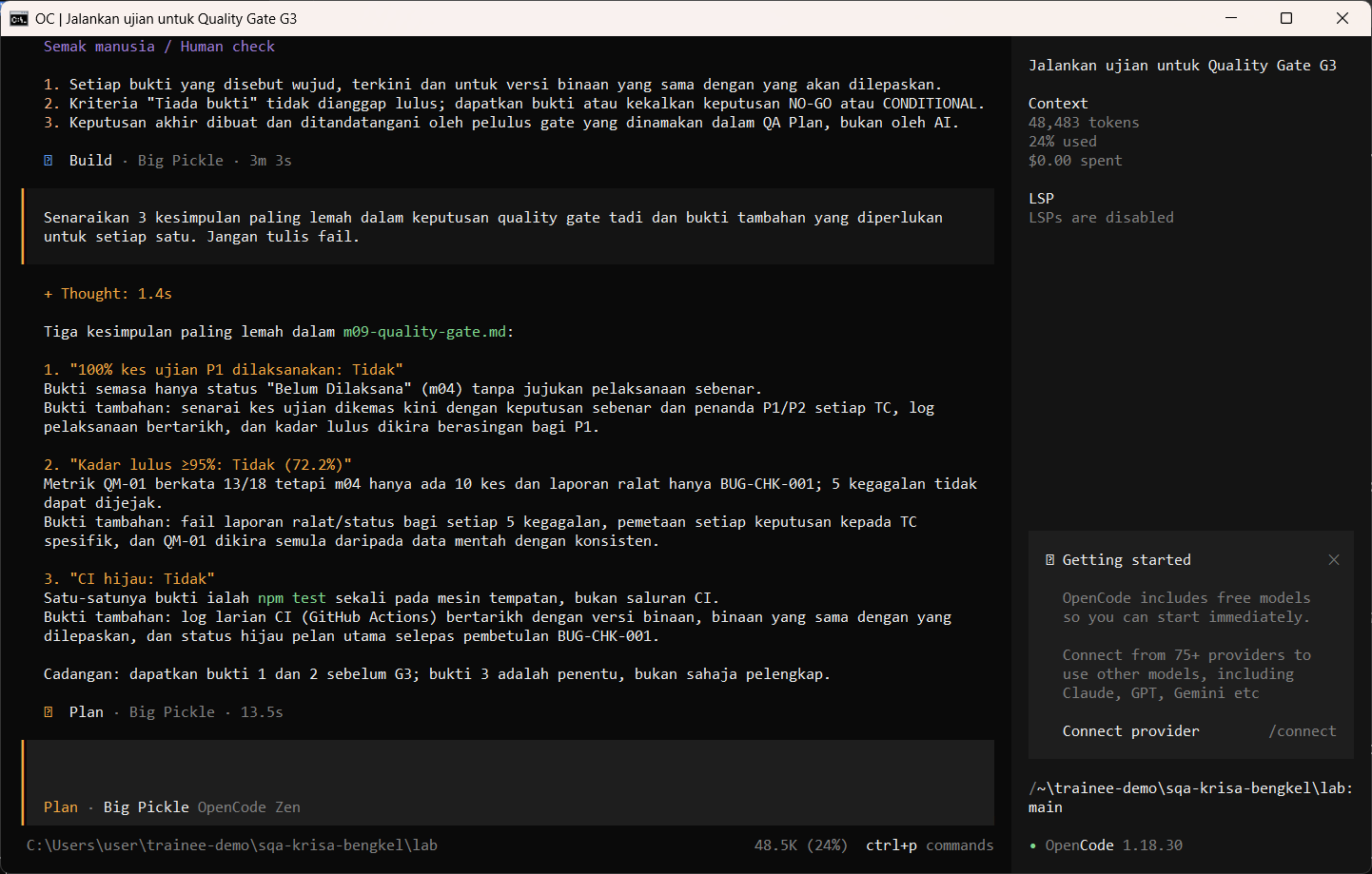
Tukar ke Plan dan minta AI mengkritik kesimpulannya sendiri.
Switch to Plan and ask the AI to criticise its own conclusions.
Senaraikan 3 kesimpulan paling lemah dalam keputusan quality gate tadi dan bukti tambahan yang diperlukan untuk setiap satu. Jangan tulis fail.
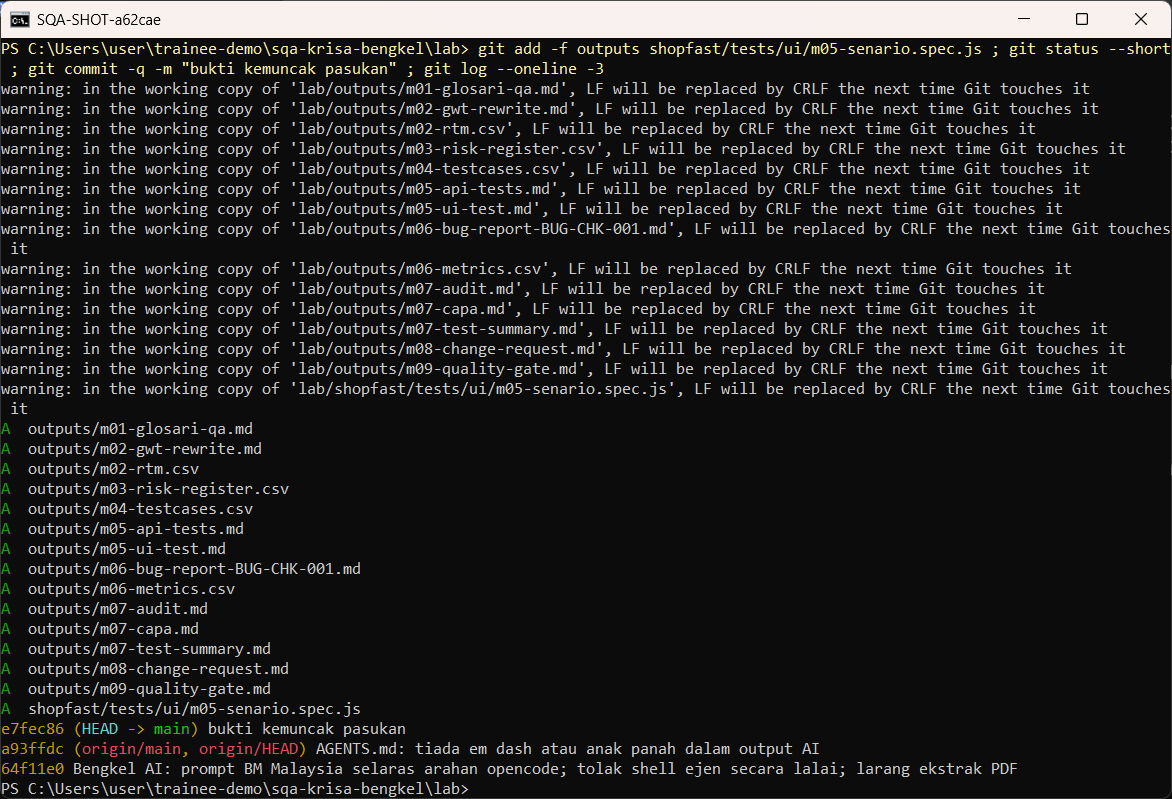
Sediakan outputs anda sebagai bukti audit dan commit. Guna -f kerana lab/outputs diabaikan oleh .gitignore supaya kerja pelatih tidak termasuk ke repositori awam secara tidak sengaja.
Stage your outputs as audit evidence and commit. Use -f because lab/outputs is ignored by .gitignore, so trainee work never reaches the public repository by accident.
git add -f outputs shopfast/tests/ui/m05-senario.spec.js
git status --short
git commit -m "bukti kemuncak pasukan"
git log --oneline -3
Semakan manusia / Human check
- Setiap kriteria dipautkan ke fail bukti dan nilai sebenar
Every criterion links to an evidence file and a real value - Tiada GO selagi ada kriteria tidak dipenuhi atau tanpa bukti
No GO while any criterion is unmet or without evidence - Sekurang-kurangnya satu kesilapan AI ditemui dan dibetulkan oleh pasukan
At least one AI mistake was found and corrected by the team
Contoh output sebenar
Jawapan AI berbeza setiap larian. Bandingkan struktur dan semak kandungan.
Jika ada masalah / Troubleshooting
| Masalah | Tindakan |
|---|---|
| opencode is not recognised | Close and reopen PowerShell so PATH refreshes. Still failing: powershell -ExecutionPolicy Bypass -File .\setup\install-opencode.ps1 -Portable |
| Scripts are disabled on this system | Set-ExecutionPolicy -Scope CurrentUser RemoteSigned, or run opencode.cmd instead of opencode |
| The model is slow or stops | Wait up to 2 minutes. Press Esc to interrupt, then send the prompt again. Try another free model with /models |
| Permission required dialog | Read the preview. Choose Allow once for files in outputs/. Reject anything outside the lab folder |
| File or command not found | Check the status bar path ends with \lab. Commands and @files are relative to the lab folder |
| Answer uses Indonesian words or dashes | Reply: Ikut AGENTS.md peraturan 1 dan 14, tulis semula dalam Bahasa Melayu Malaysia |
| Network or proxy error | $env:HTTPS_PROXY = "http://proxy:port" and $env:NO_PROXY = "localhost,127.0.0.1" before starting opencode |
| Port 3000 already in use | $env:PORT = 3001 before npm start, and use http://localhost:3001 |